Administrator
Acts and approves
Sends, converts, approves transfers prepared by other administrators and manages the team.
BZA Business
Pay suppliers and partners between Europe, the Americas and Africa. One administrator prepares, the others approve, and every operation leaves a trail.
Transfer approvals
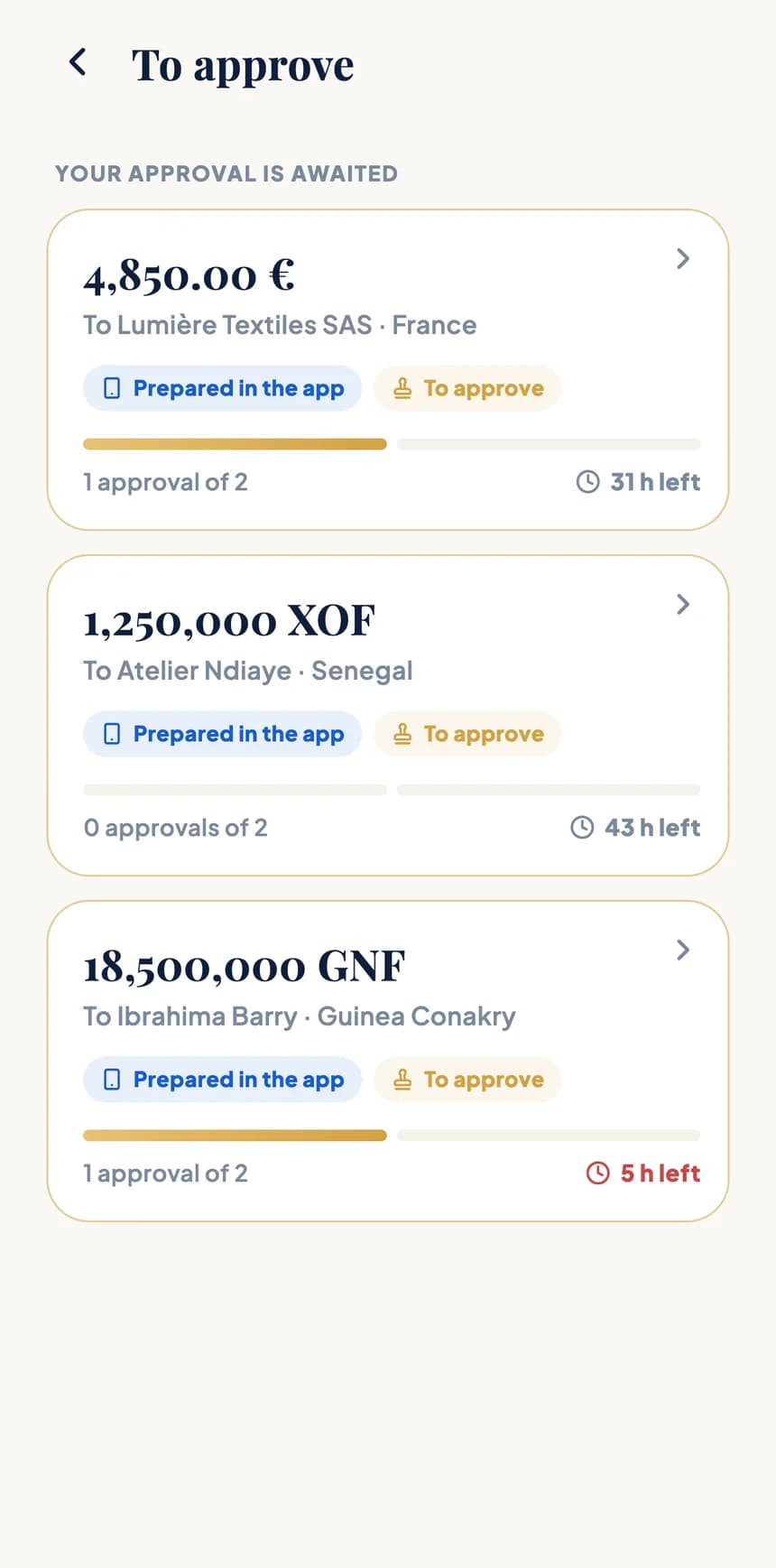
An administrator prepares the transfer. It waits in the app until the other administrators approve it, then it goes. Simple, and always under control.
Recipient, amount, fees and total are all checked before the transfer is submitted to the team.
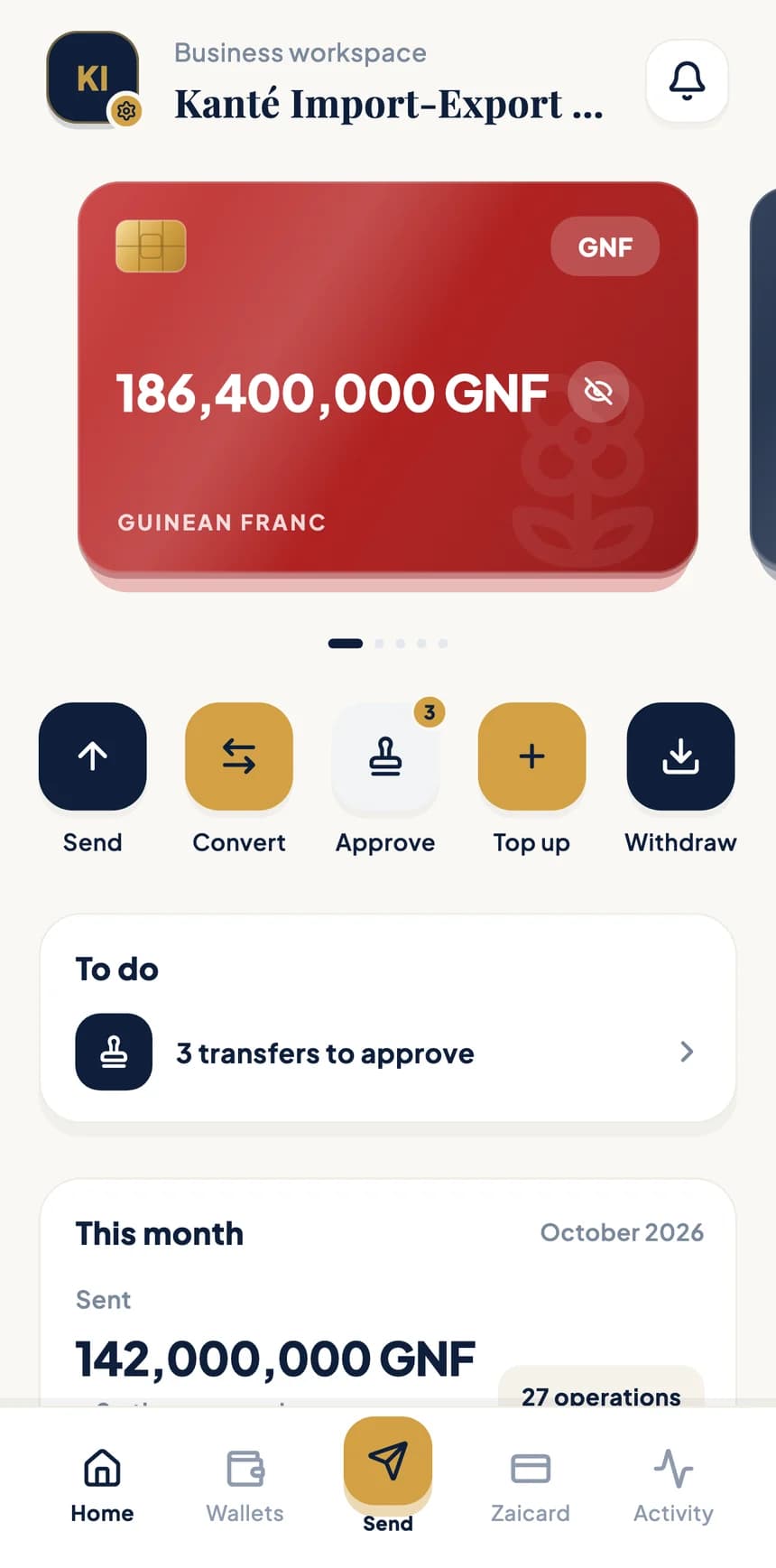
The “Approve” action shows how many transfers are waiting. A transfer that isn't right can be declined with a reason, and nothing is debited.
Who prepared it, who approved it and when: every step stays visible, and the author is told the outcome.
Team and roles
Invite colleagues by phone or email, then decide what each of them can do. Roles can be changed at any time.
Acts and approves
Sends, converts, approves transfers prepared by other administrators and manages the team.
View only
Follows the company's balances and activity, without being able to move money.
| Action | Administrator | Viewer |
|---|---|---|
| View wallets and activity | Yes | Yes |
| Send and convert | Yes | No |
| Approve or decline transfers | Yes | No |
| Invite members and change roles | Yes | No |
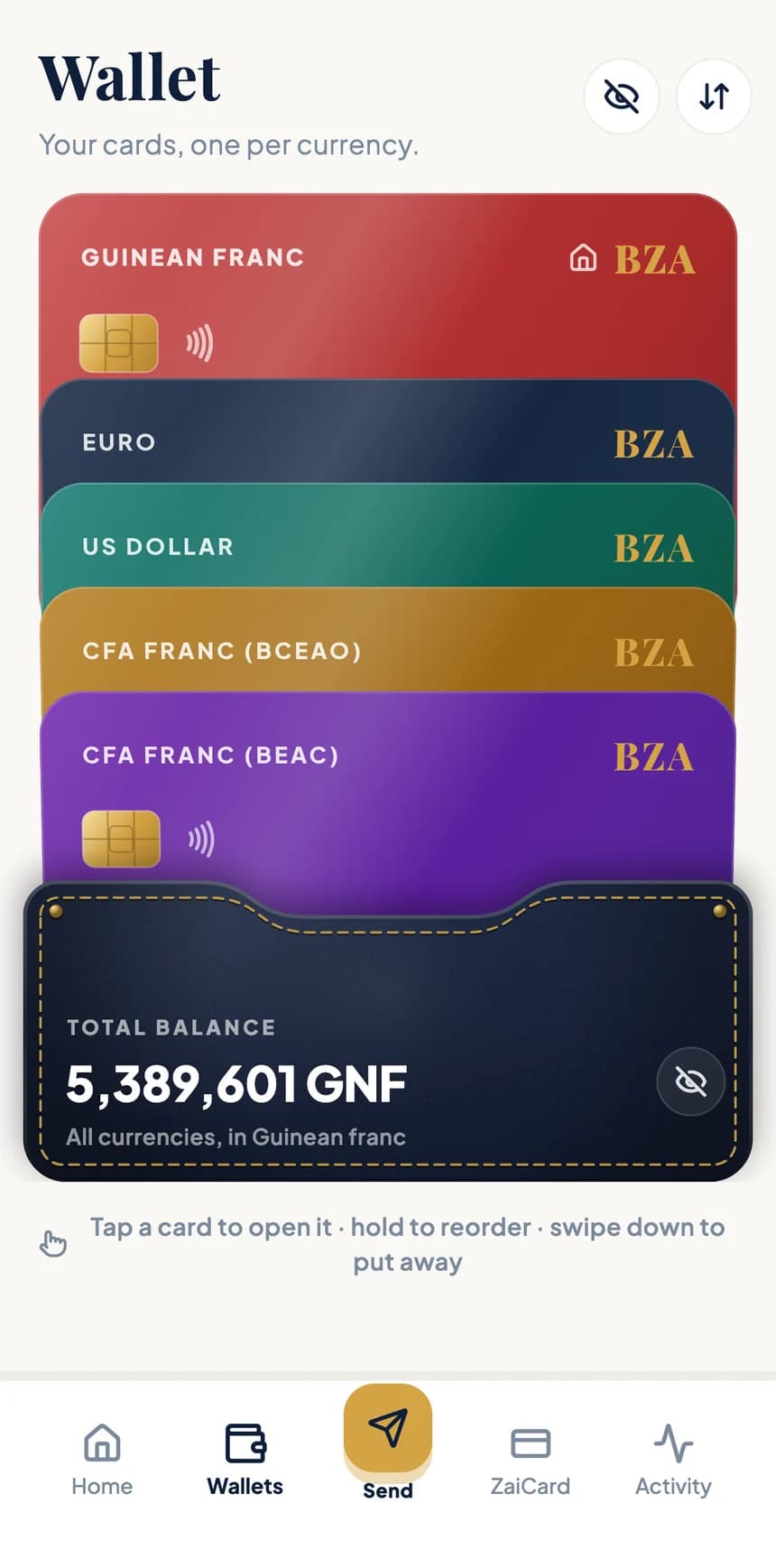
Multi-currency treasury
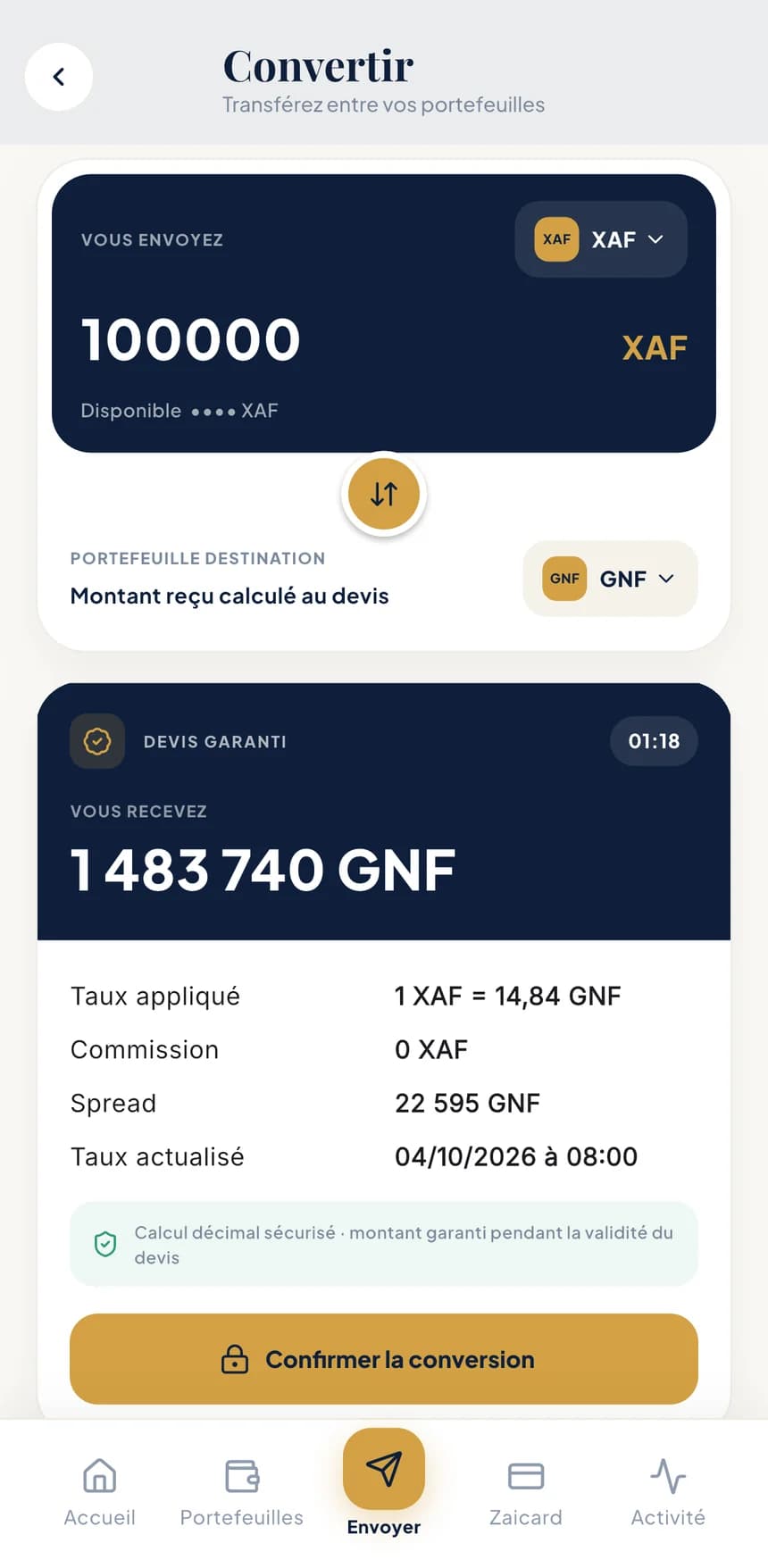
One wallet per currency, conversions at the right moment and payments to your suppliers and partners, wherever they are.
The applied rate, commission and amount received are shown, then guaranteed during a countdown. The converted amount is available right away.
Pay partners on Orange Money, MTN Mobile Money, Wave, Moov Money or Free Money, depending on the country.
Pay suppliers in Europe by SEPA transfer to their IBAN, with real-time tracking.
Fees and rates are shown in the app before every operation.
A euro account with an IBAN and a Zaicard virtual card can also be managed from the app.
Accounting
What your accountant asks for is already in the app, ready to download and share.
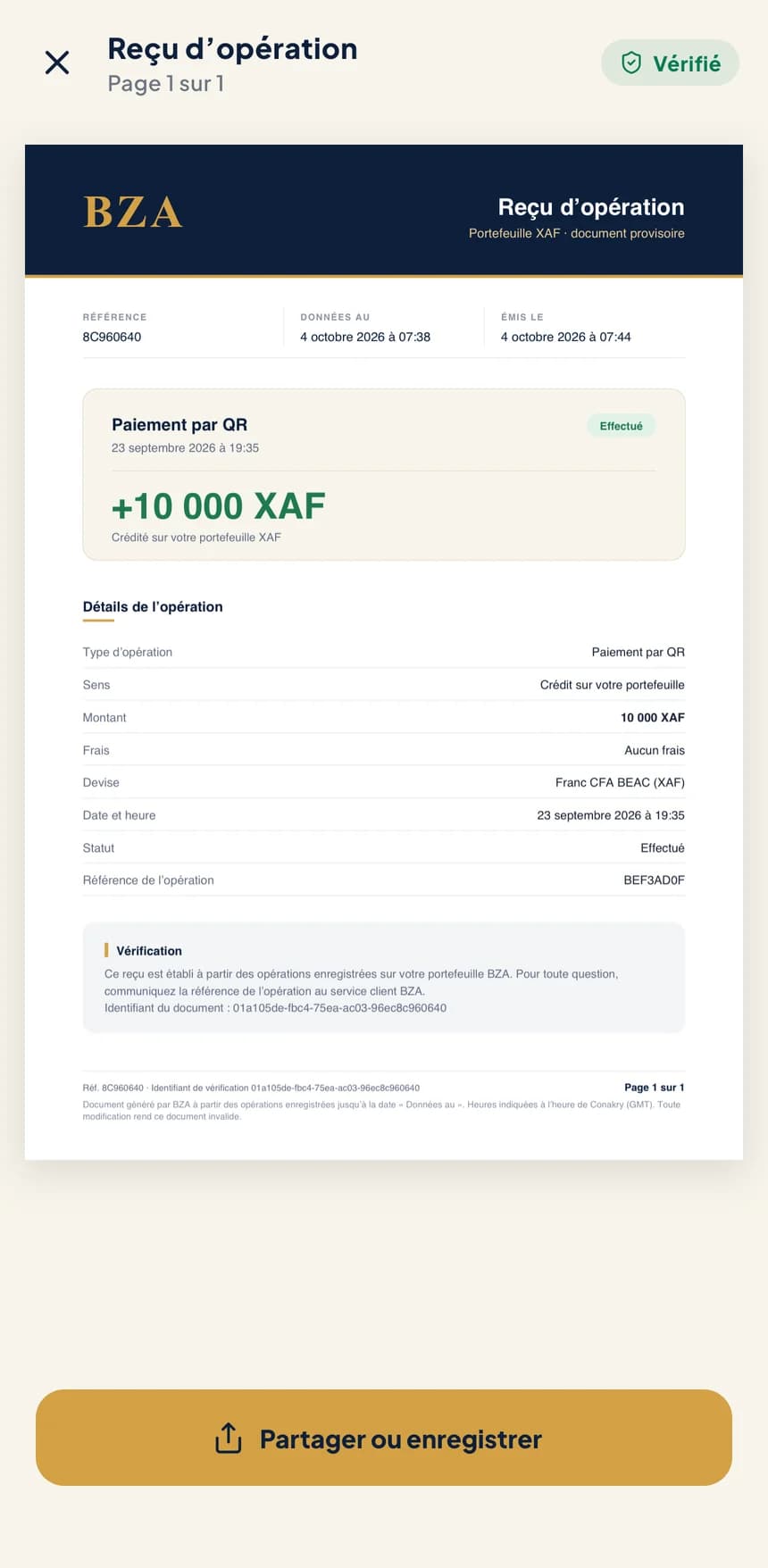
Every operation has its receipt, with a unique reference and an “Authentic” verification QR code.
An account statement for each wallet, over the period of your choice.
Balance certificates generated and verified by BZA, ready to attach to your files.
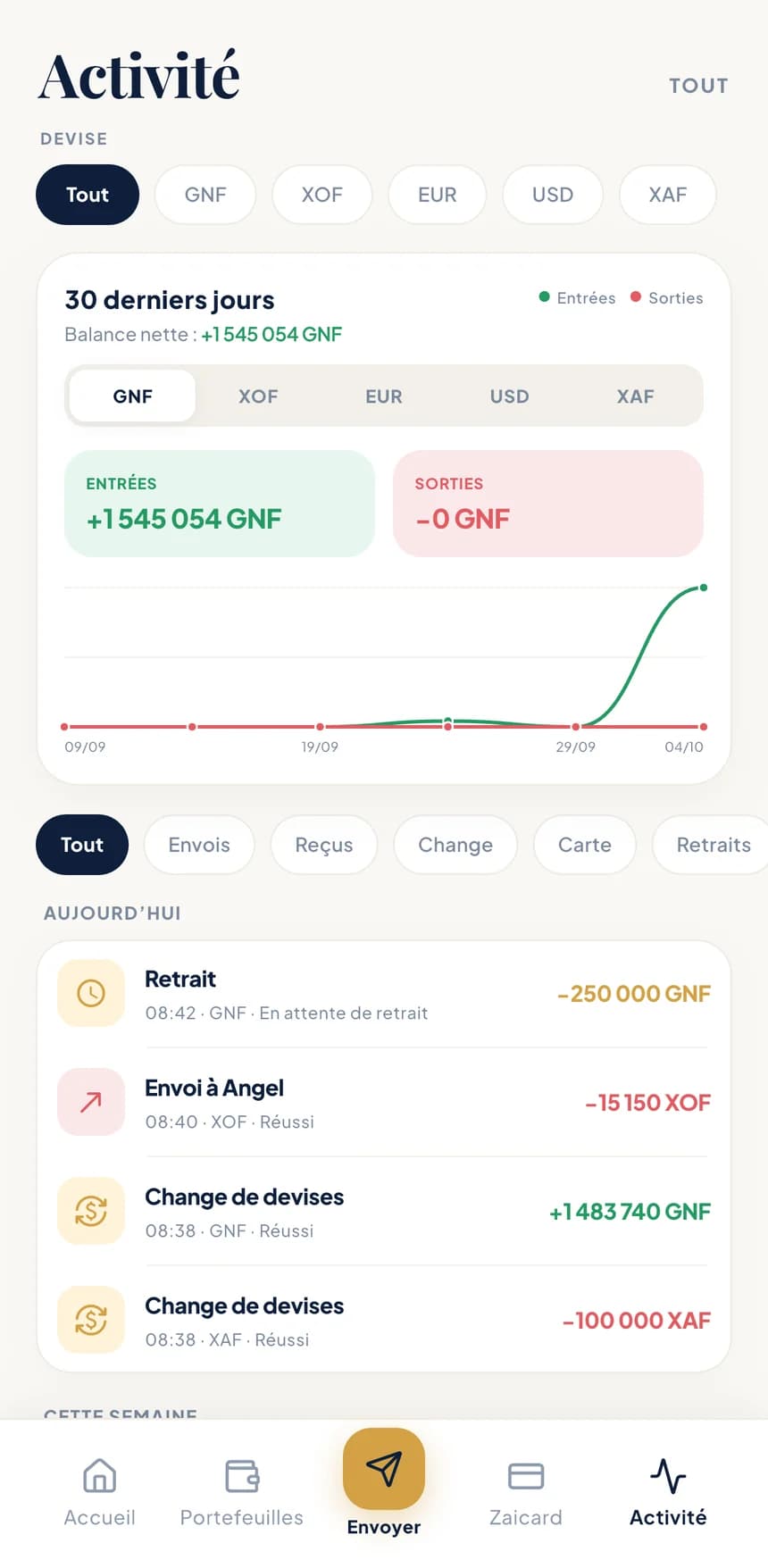
Filter by currency and operation type, and follow money in and out over the last 30 days.
In-branch counter
Prefer to visit a branch? A BZA agent enters the operation for you. It only goes through once it's confirmed in the company's app.
Need time with an advisor? Book a branch appointment from the app.
You explain the operation to a BZA agent.
Amount, currency and recipient are recorded at the counter.
The operation appears on your phone: you check it, then you confirm.
Open a business account
Everything happens in the app, at your own pace.
Step 1
Sign in with your phone number and the code sent to you by SMS.
Step 2
Enter its details, then add its documents and those of its legal representative.
Step 3
Invite colleagues and give each one a role: administrator or viewer.
The exact list of documents is shown in the app, depending on the company's country.
Frequently asked questions
The administrators. When one of them prepares a transfer, it waits in the app for the others to approve it before it goes out. The number of pending transfers is shown on the “Approve” action.
It doesn't go out and nothing is debited. The administrator who prepared it is notified, along with the chosen reason.
No. A viewer can see the company's balances and activity, but cannot send, convert or approve.
The company's documents and those of its legal representative. The exact list is shown in the app, depending on the country.
Coming soon
BZA is coming to iPhone and Android. Official download links will be published here as soon as the stores open.