Skip to content

Personal

Your money, from one continent to another.

Euro, US dollar, Guinean franc, CFA francs: all your currencies live in one app. Send to loved ones, convert and withdraw cash, always knowing what you'll pay before you confirm.

Money moves between Europe, the Americas and Africa
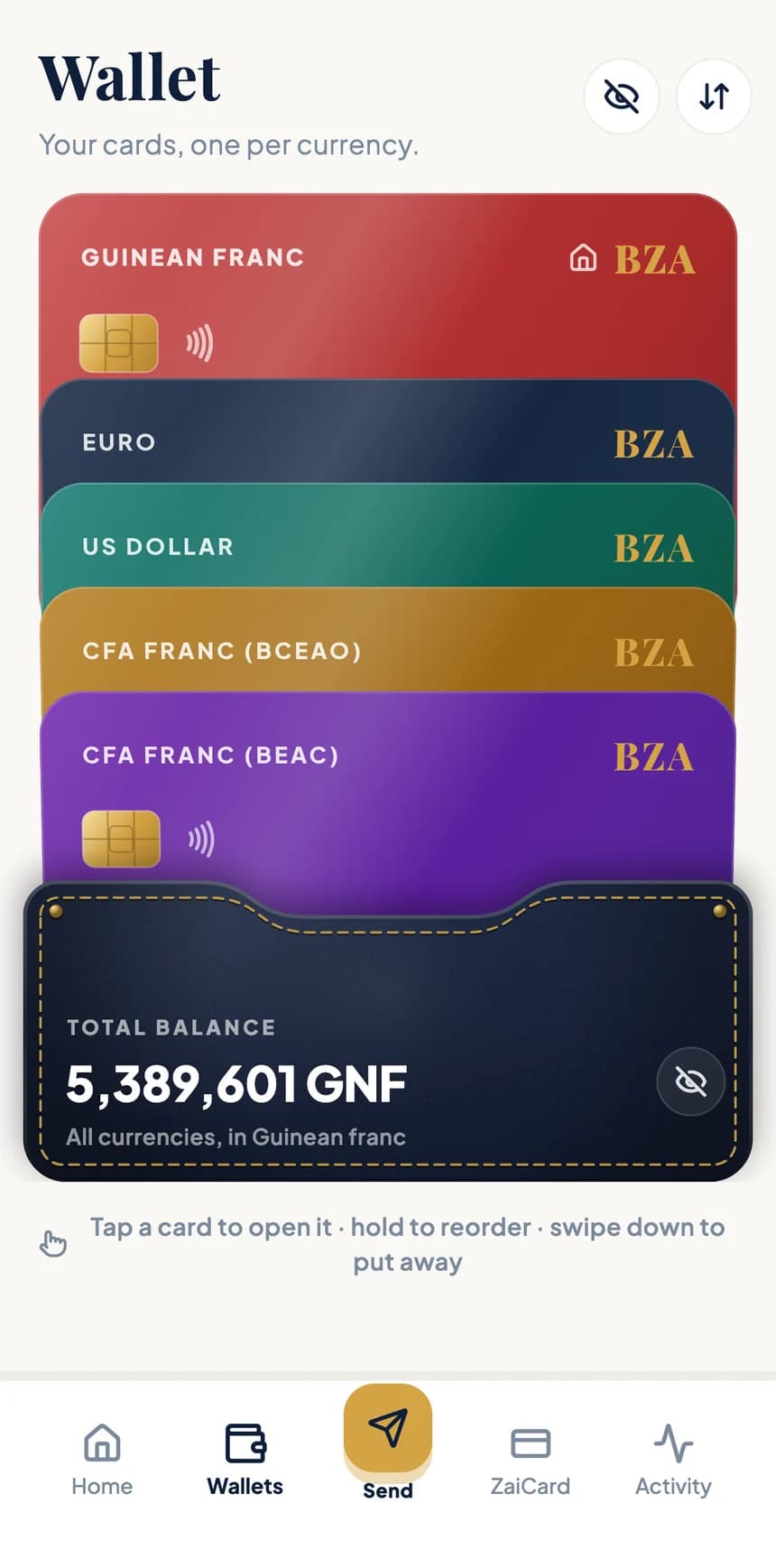
Stack of BZA wallets: Guinean franc, euro, US dollar, CFA franc BCEAO and CFA franc BEAC
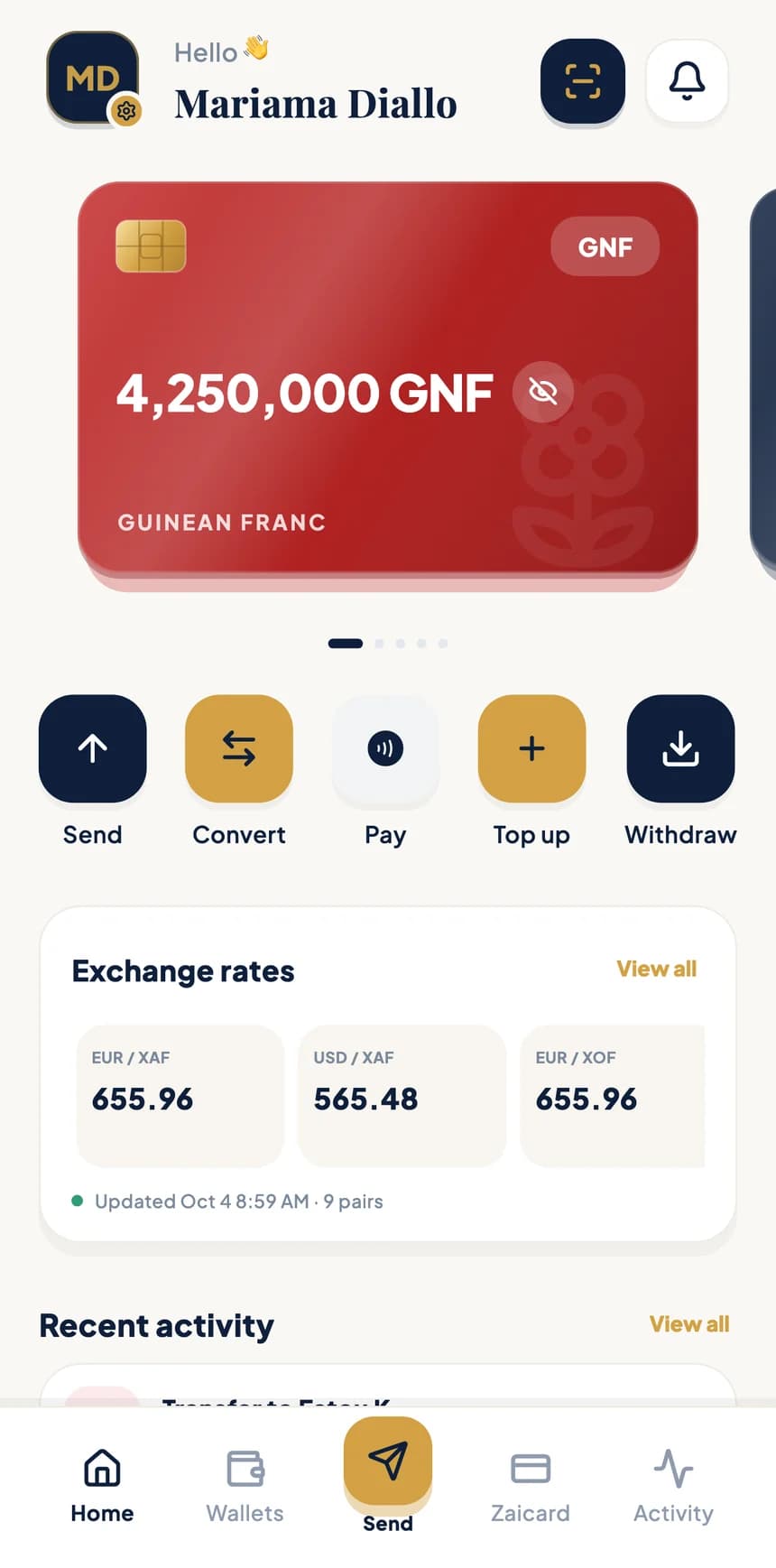
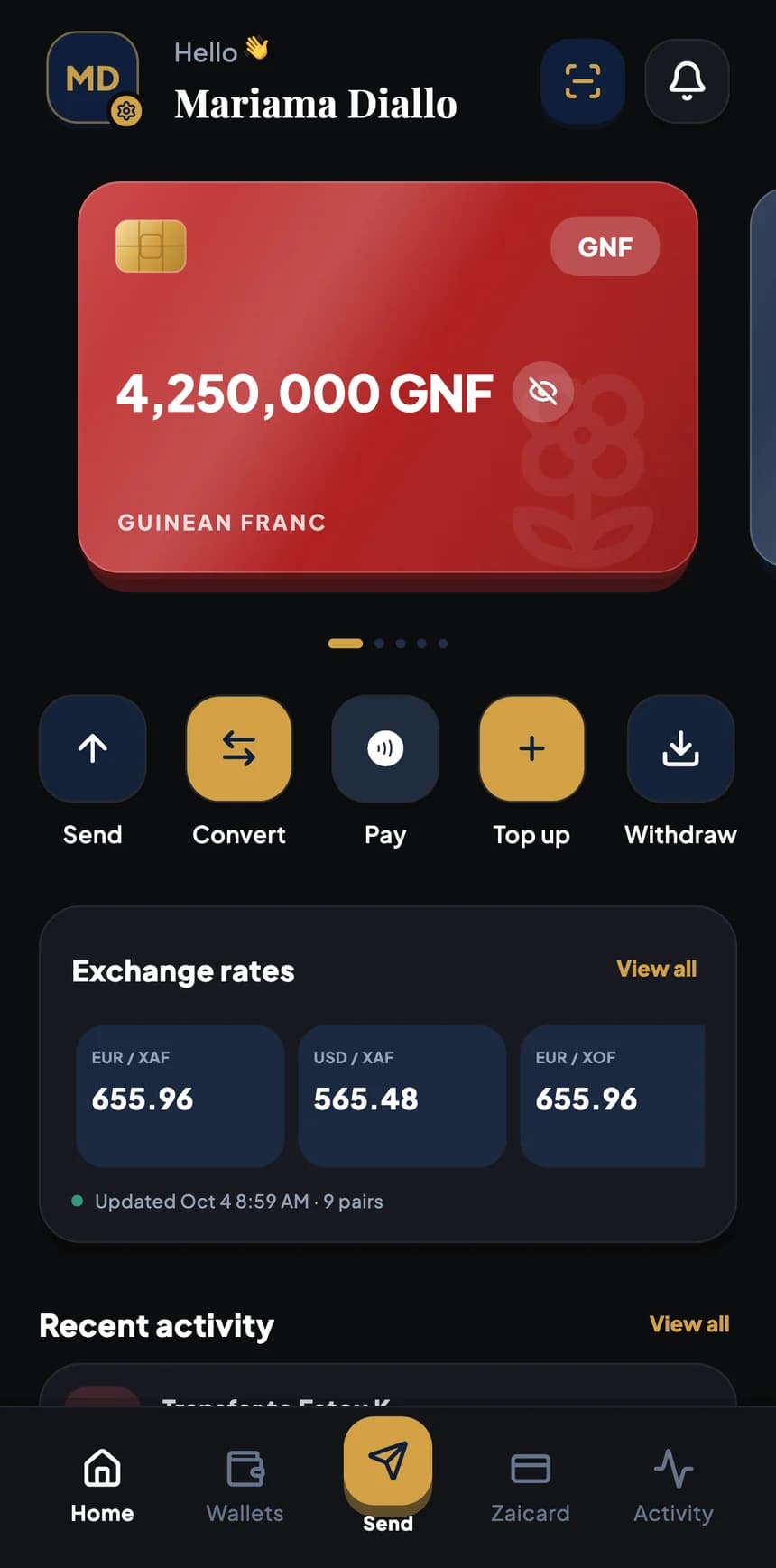
BZA app home screen: Guinean franc card, Send, Convert, Pay, Top up and Withdraw buttons, exchange rates
Rate guaranteeduntil 08:44
Transfer complete15,000 XOF received
5 currencies

Sample data

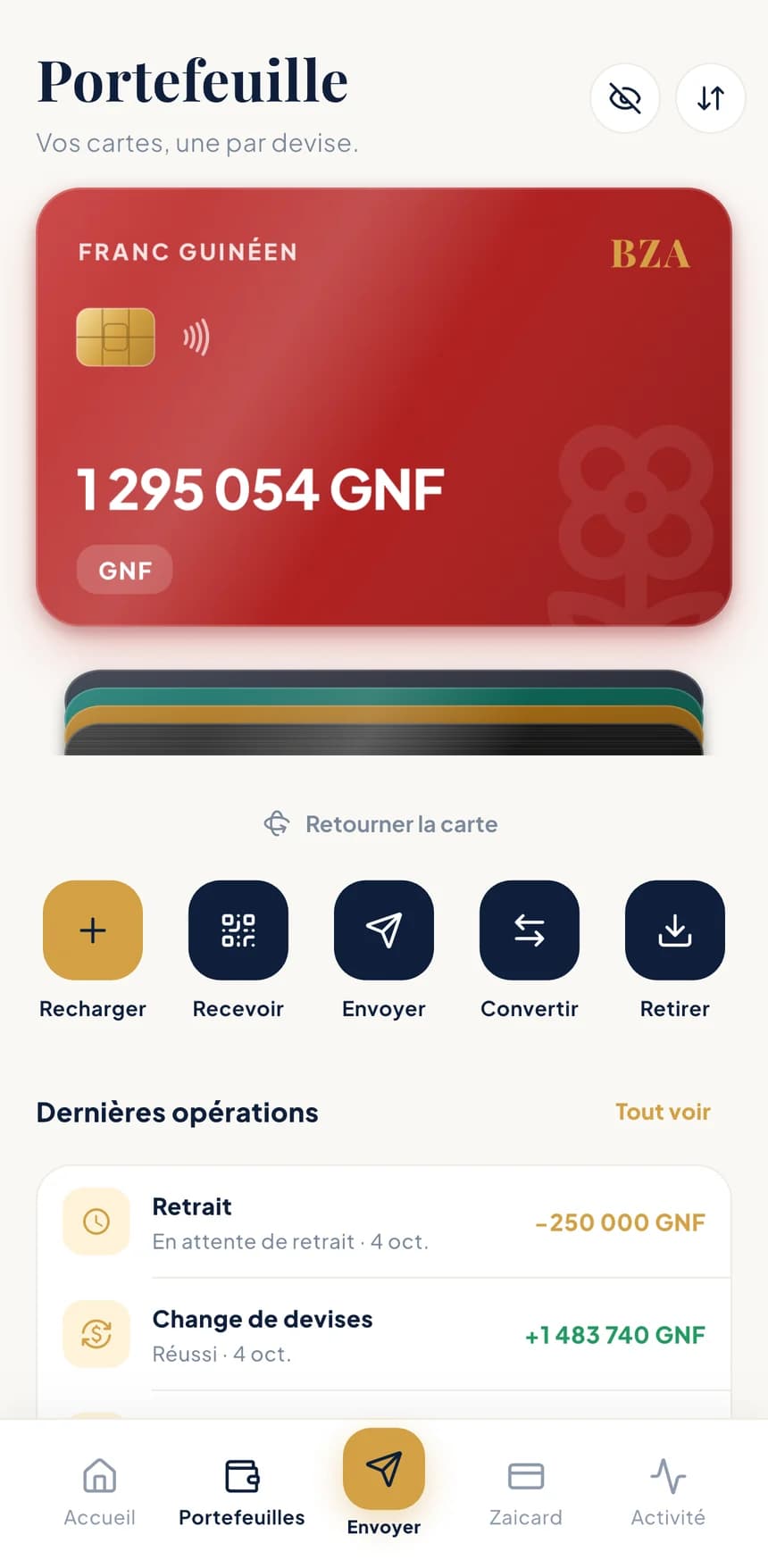
Guinean franc card open, with Top up, Receive, Send, Convert and Withdraw buttons and recent operations
Wallet screen: five stacked cards, one per currency

Sample data

Multi-currency wallets

Five currencies, one stack.

One card per currency, all kept in a leather pouch that shows your total balance. Open the one you need, arrange them your way and keep your balances away from prying eyes.

  • Colour, pattern, finishStyle each card the way you like and pick the leather of the pouch: your stack looks like you.
  • A nickname for every card“Savings”, “Family”, “Travel”: see at a glance what each wallet is for.
  • Main card and orderPick the card that comes first and the order of the stack. It's the same everywhere in the app.
  • Hideable balancesOne tap hides every amount, on the home screen and in the stack.

Top up by bank transfer, mobile money or card: the options available to you are shown in the app.

Need a euro card? Zaicard, a virtual card linked to a euro bank account with an IBAN, is also managed from BZA.

The five available currencies

  • GNFGuinean franc
  • EUREuro
  • USDUS dollar
  • XOFCFA franc (BCEAO)
  • XAFCFA franc (BEAC)

Send money

Five steps, no surprises.

To a loved one's mobile money account or to a European bank account. Fees, total and the time your rate is guaranteed until are shown before you confirm.

  • Fees and total firstYou know exactly what leaves your wallet and what arrives.
  • Guaranteed rateUntil a set time, written in black and white on the review screen.
  • Real-time trackingEvery transfer can be followed until it's received.
  1. 01Method

    Mobile money or bank transfer

    Send to a loved one's mobile money wallet in Africa, or by transfer to a European bank account.
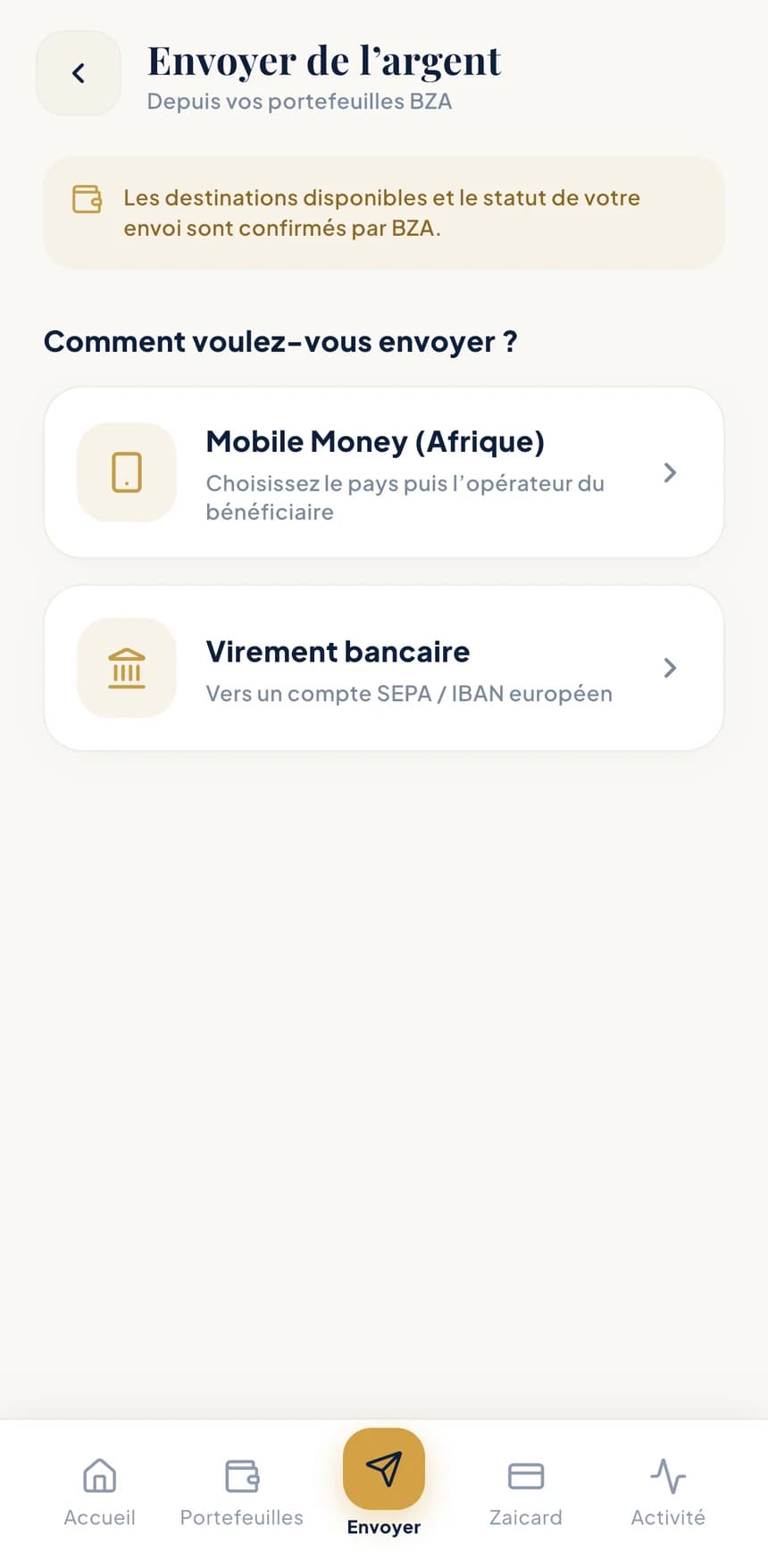
    • Orange Money, MTN Mobile Money, Wave, Moov Money, Free Money
    • SEPA transfer to a European IBAN
    “Send money” screen: choose between mobile money (Africa) and bank transfer
  2. 02Country

    Only open destinations are listed

    Benin, Côte d'Ivoire, Cameroon, Senegal… For each country you see the currency, the operators and the accepted amounts. Guinea is coming soon.
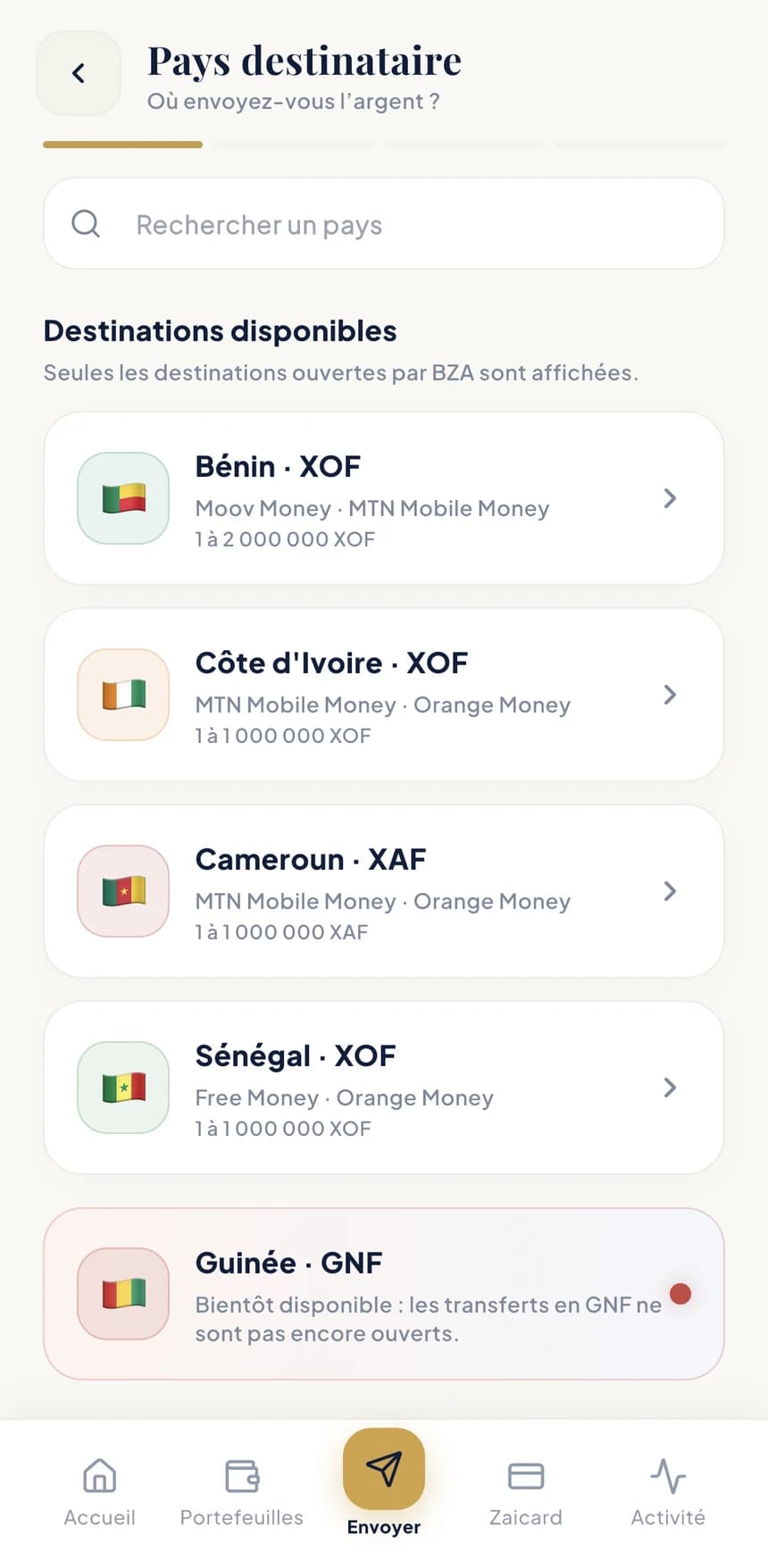
    • Search by country
    • Operators and limits shown for each destination
    “Destination country” screen: Benin, Côte d'Ivoire, Cameroon and Senegal available, Guinea coming soon
  3. 03Amount

    What your loved one receives

    Pick a saved recipient or add a new one, enter the amount they'll receive within the range shown, then the wallet to pay from.
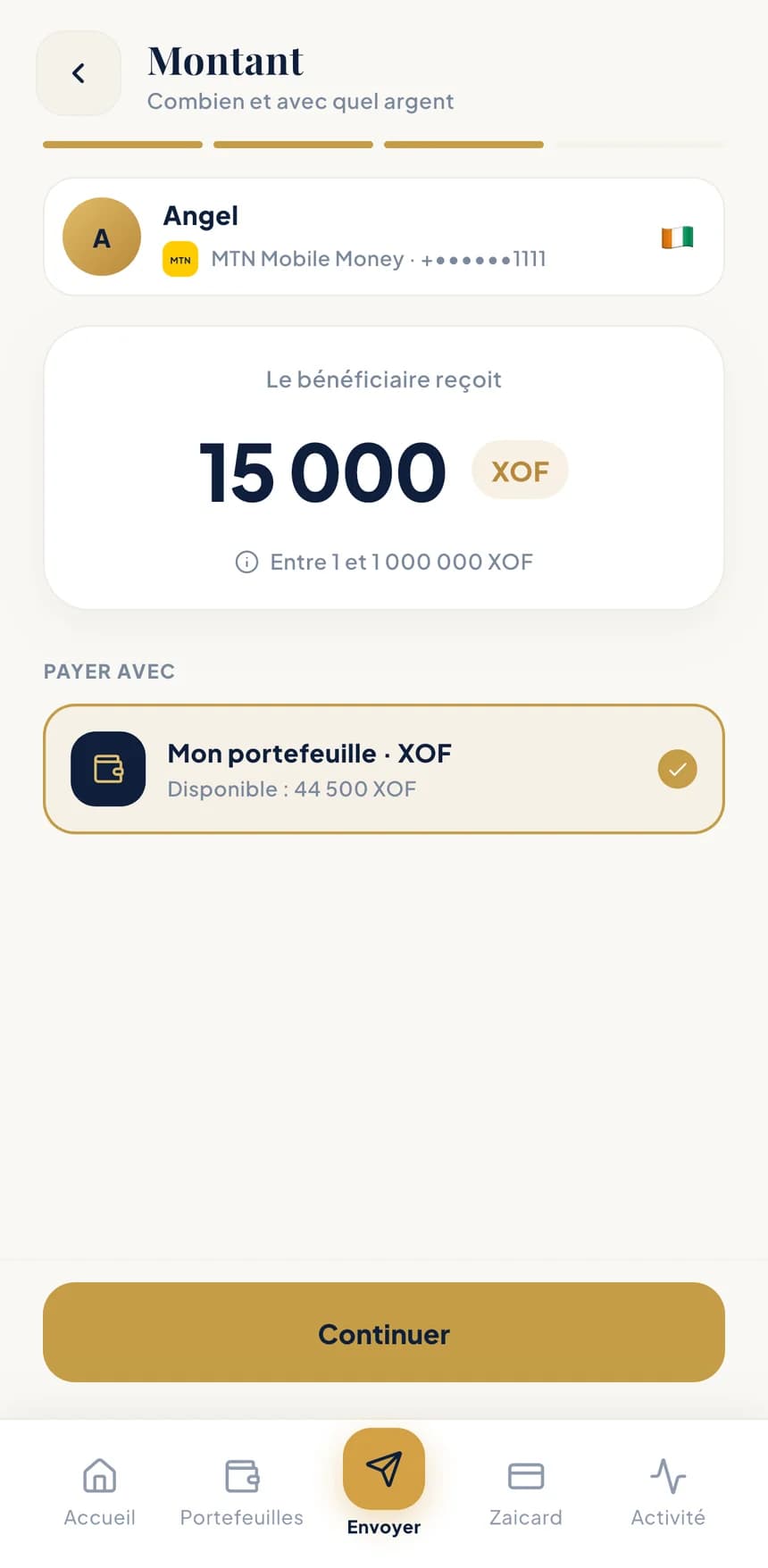
    • Saved recipients
    • Minimum and maximum amounts shown
    • Available balance right in front of you
    “Amount” screen: the recipient receives 15,000 XOF, paid from the XOF wallet
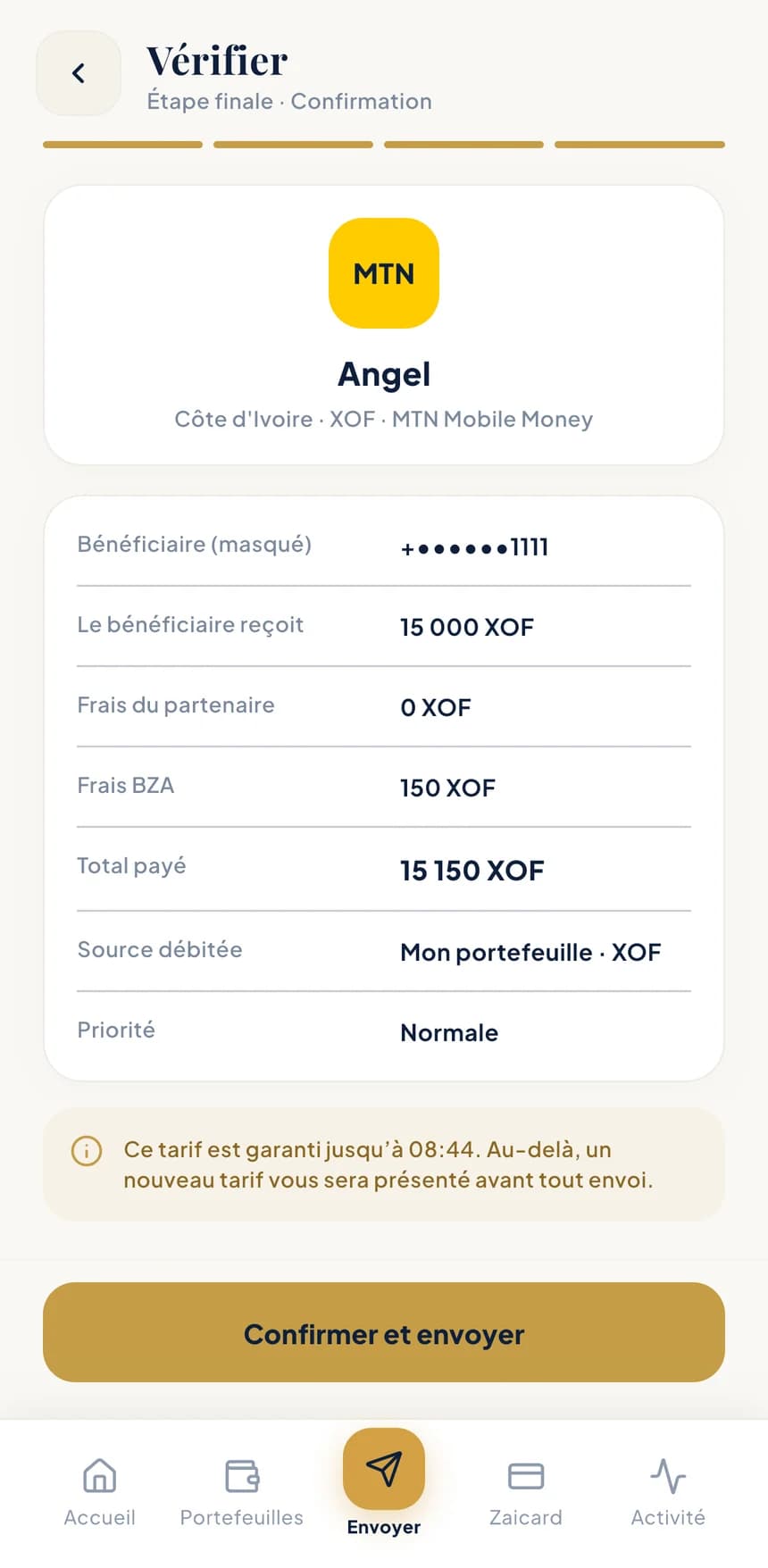
  4. 04Review

    Everything in writing before you confirm

    Masked recipient, amount received, BZA fees, total paid and wallet debited. Your rate is guaranteed until a set time; after that, a new rate is shown to you before anything is sent.
    • BZA fees and total paid
    • Wallet debited
    • Rate guaranteed until the time shown
    “Review” screen: amount received, fees, total paid and rate guaranteed until 08:44
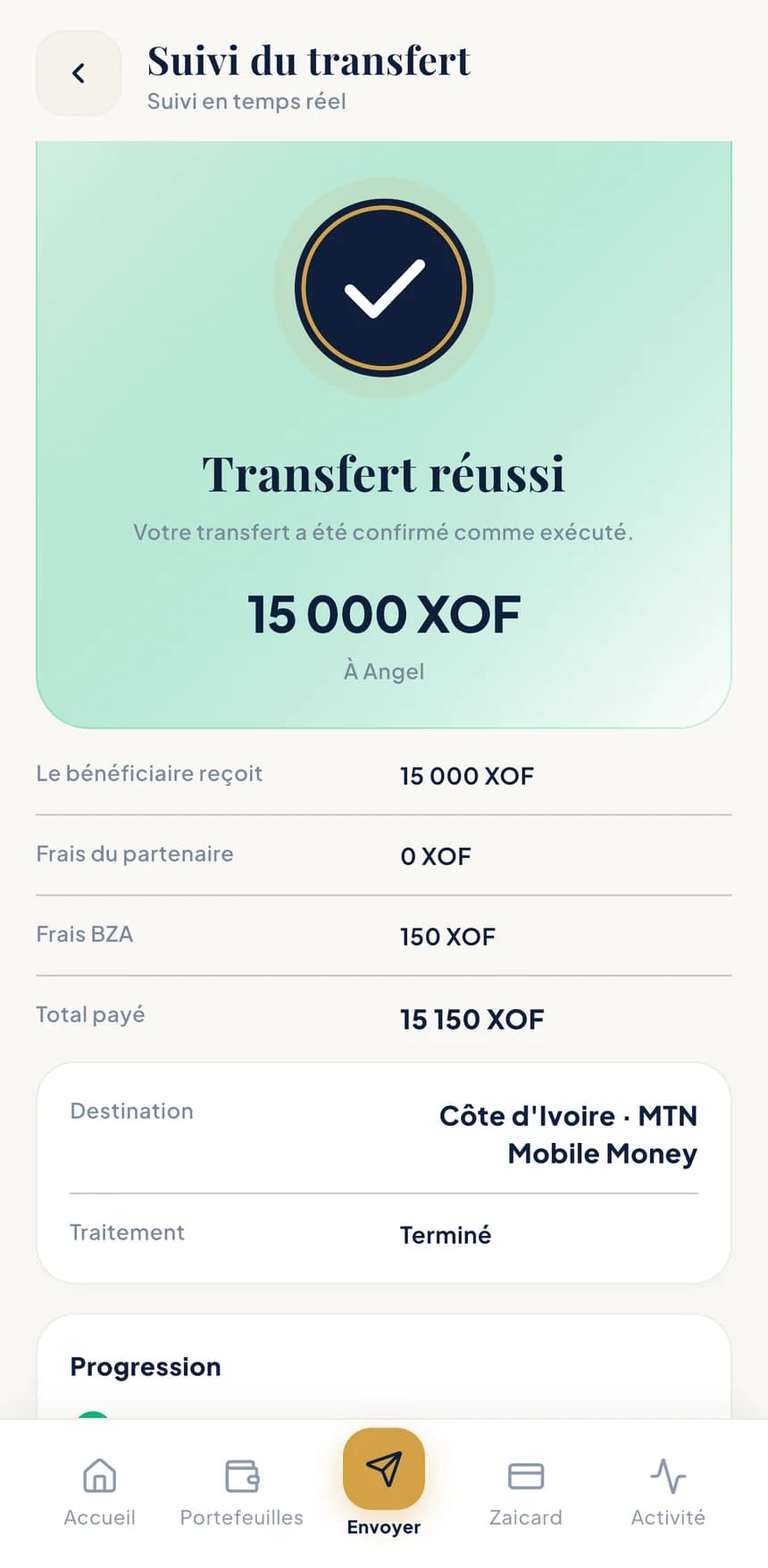
  5. 05Tracking

    Follow your transfer in real time

    Progress is shown all the way to “Transfer complete”. The summary stays in your activity, with its PDF receipt.
    • Live progress
    • Summary of amounts and fees
    • PDF receipt to share
    “Transfer tracking” screen: 15,000 XOF transfer complete, with the fee breakdown

Live tracking

Your money moves, right before your eyes.

After a transfer, a conversion or a top-up, BZA stays visible in your iPhone's Dynamic Island and on the lock screen. A ring moves forward step by step, then closes in green when it is done. On Android, the same tracking appears in your notifications.

  • Without opening the app

    A glance at your screen is enough to know where the operation stands.

  • Three clear steps

    Confirmed, on its way, delivered: you watch the operation complete.

  • You stay in control

    Hide the amounts or switch tracking off in your Preferences.

Convert

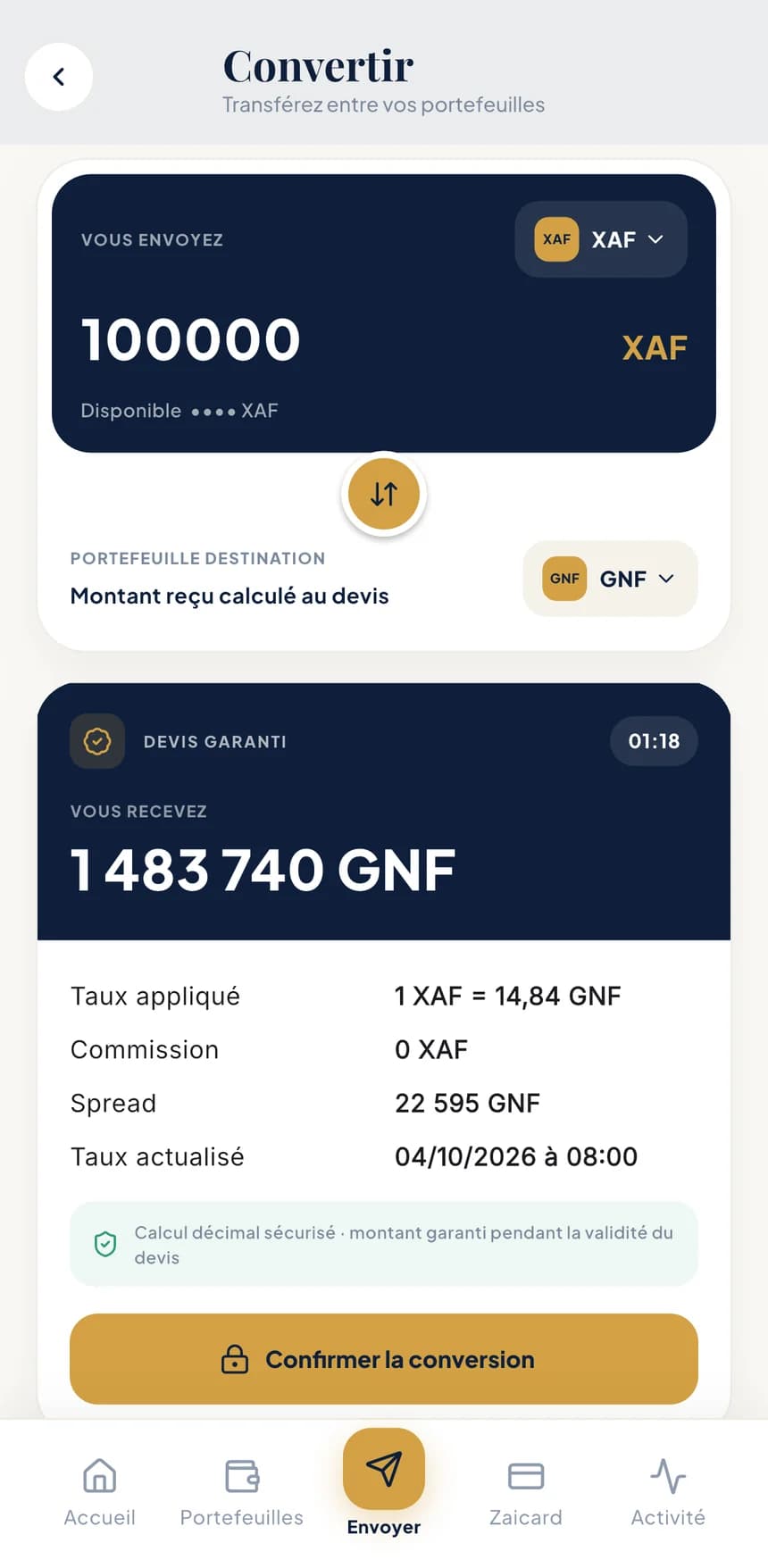
A guaranteed quote, while you decide.

Move money between your wallets in seconds. The amount you'll receive is guaranteed during a countdown, and every part of the price is visible before you confirm.
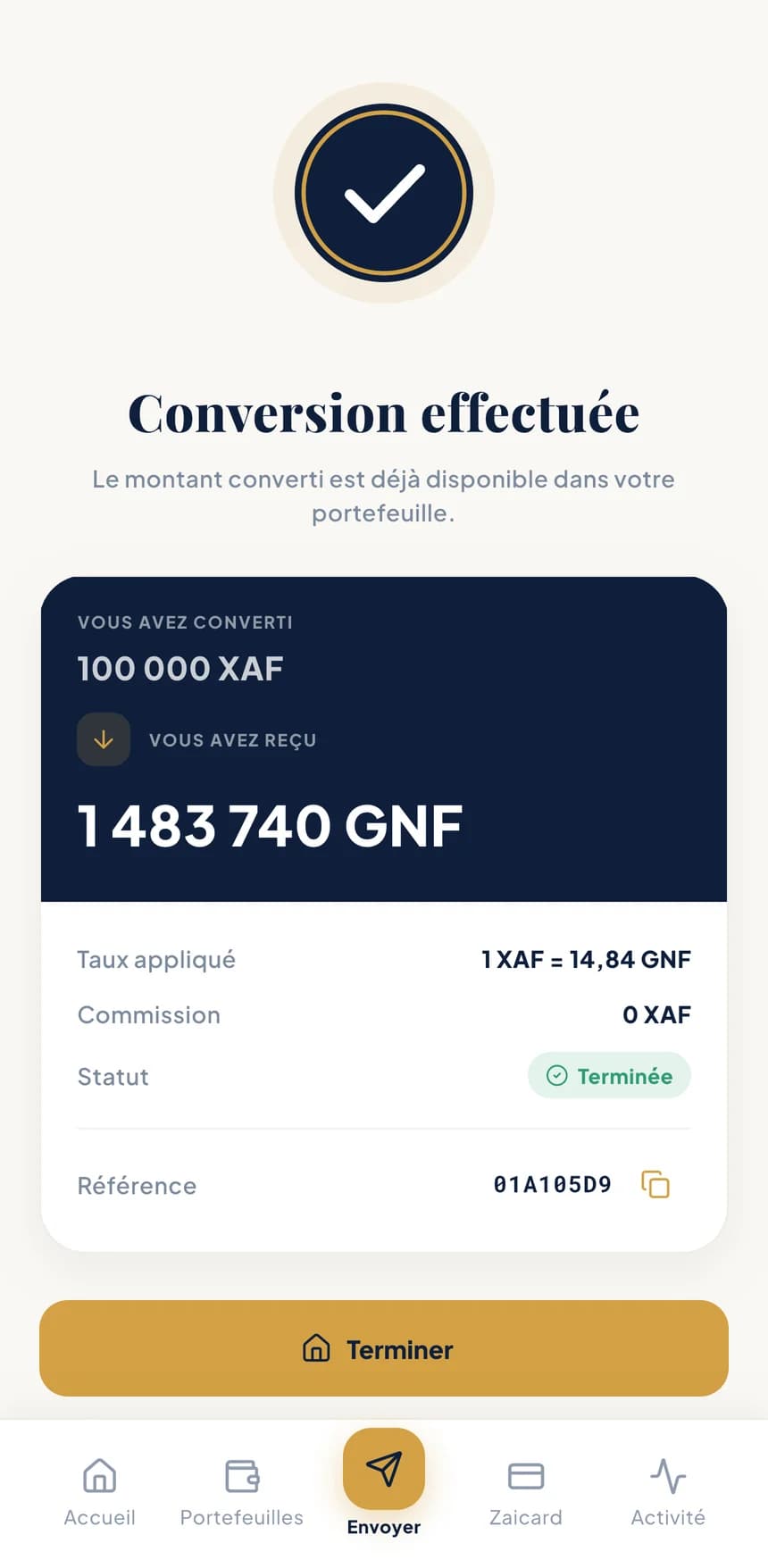
“Conversion complete” screen: converted amount, rate applied and reference
“Convert” screen: guaranteed quote of 1,483,740 GNF for 100,000 XAF, with rate, commission and exchange margin

Sample data

  • A price you can readRate applied, commission and exchange margin: you see it all before you approve.
  • Available instantlyThe converted amount lands straight away in the destination wallet.
  • A reference every timeEach conversion has its own reference, easy to find in your activity.

Cash withdrawal

Cash in hand, with a simple QR code.

Create a personal withdrawal QR code and show it in person to an authorised BZA agent or merchant. They scan it and hand you your cash.
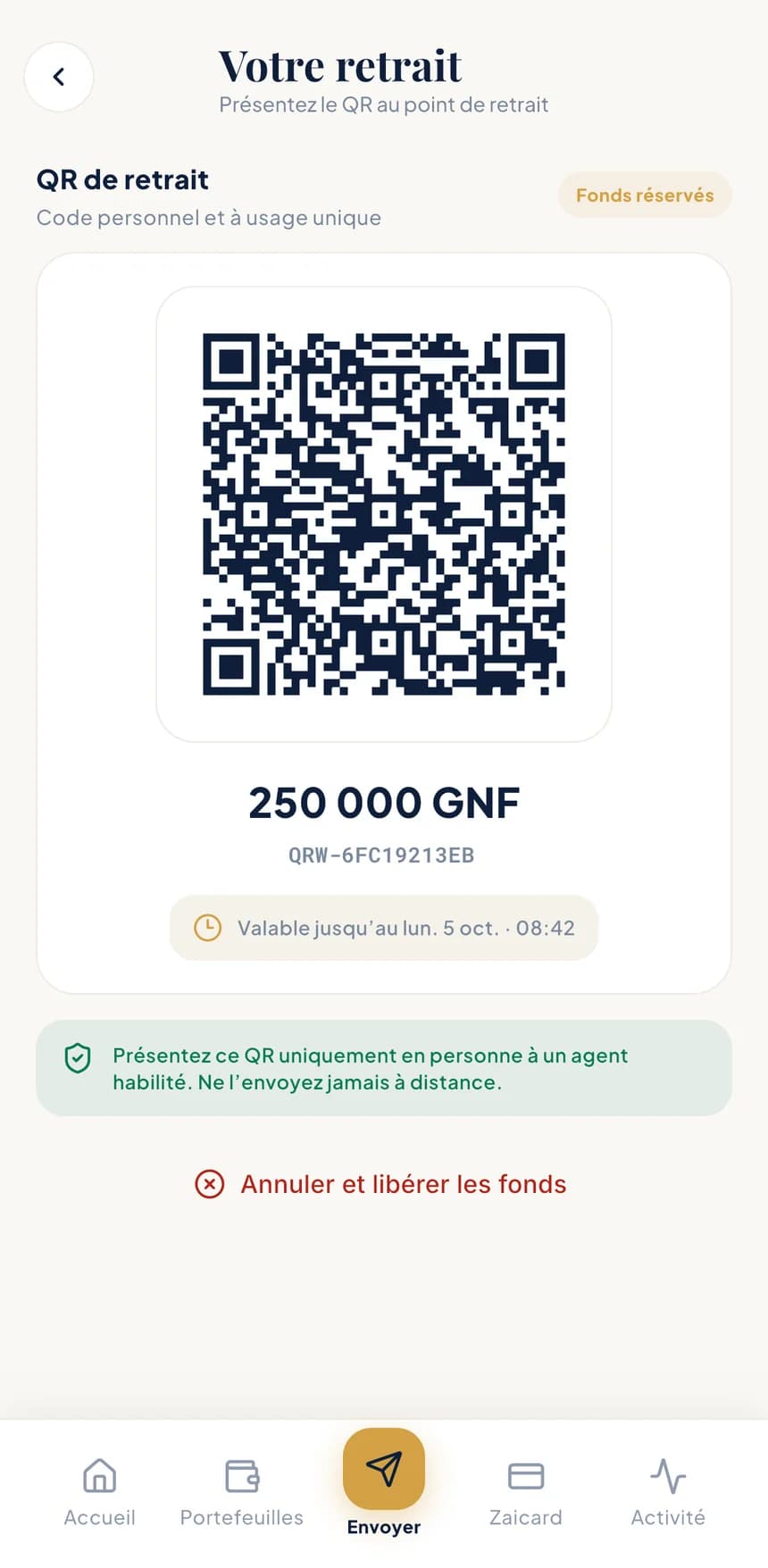
  1. 1Create your QR codeChoose the wallet and the amount: the funds are reserved straight away.
  2. 2Show it in personAt an authorised BZA agent or merchant, never remotely.
  3. 3Leave with your cashThe withdrawal appears in your activity, with its receipt.
“Your withdrawal” screen: single-use withdrawal QR code for 250,000 GNF, funds reserved, valid until 08:42

Sample data

  • Single useEach QR code works only once.
  • Funds reservedThe amount is set aside as soon as it's created.
  • Time limitValid until the time written under the code.
  • Cancellable“Cancel and release funds”, any time before the withdrawal.

Your withdrawal QR code is for showing, not sending: never share it by message or photo.

Contactless payment

Coming soon

Tap, and it's paid.

Soon you'll be able to pay by simply holding your phone near a terminal, straight from a BZA wallet.

  • From the wallet of your choice
  • Every payment listed in your activity

In the meantime, you can already pay by QR code, whether it's a friend or a merchant.
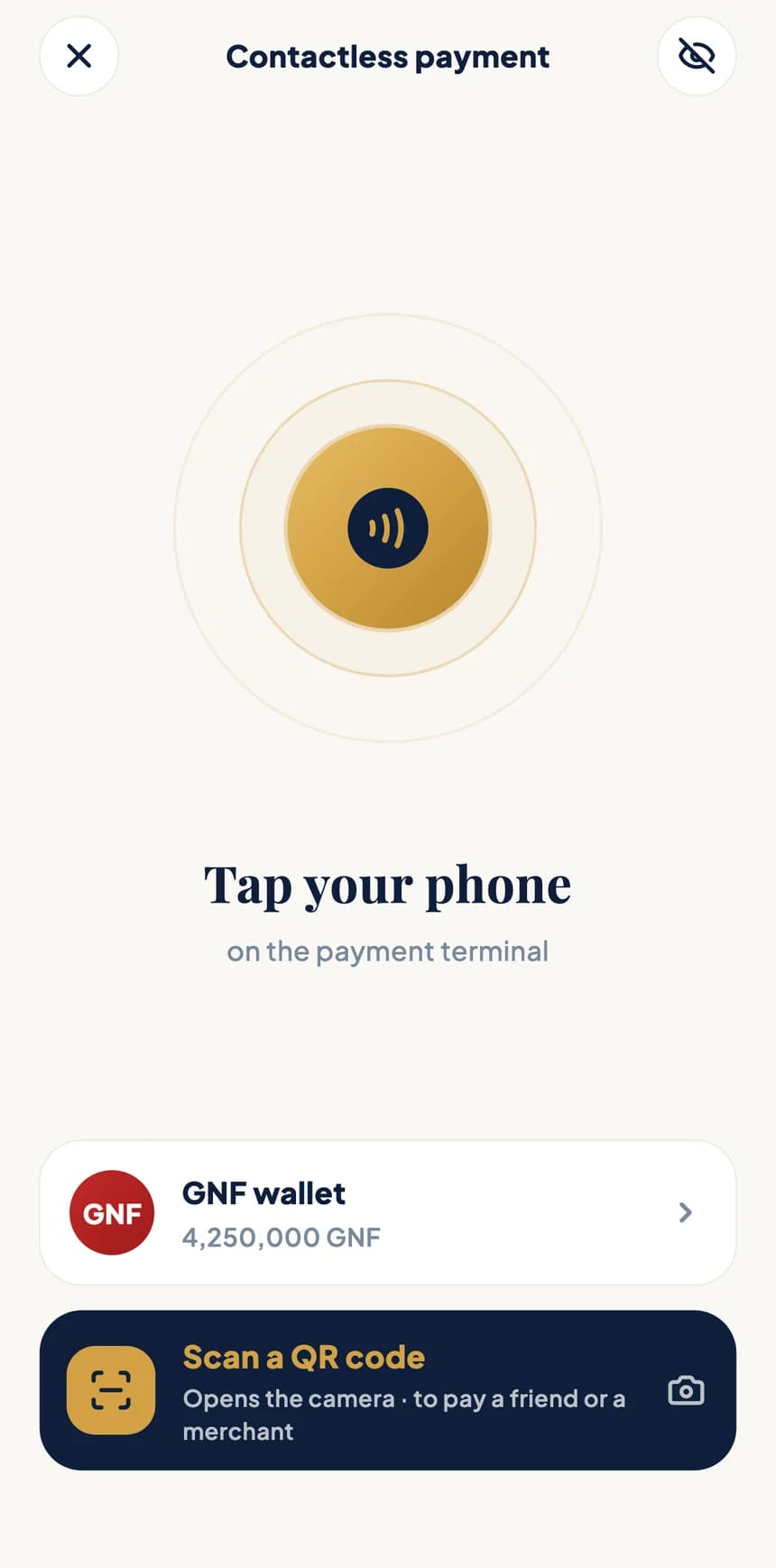
BZA app contactless payment screen

Track and prove

Every operation, a clear record.

Your history reads at a glance, and every operation can be backed up with a document.
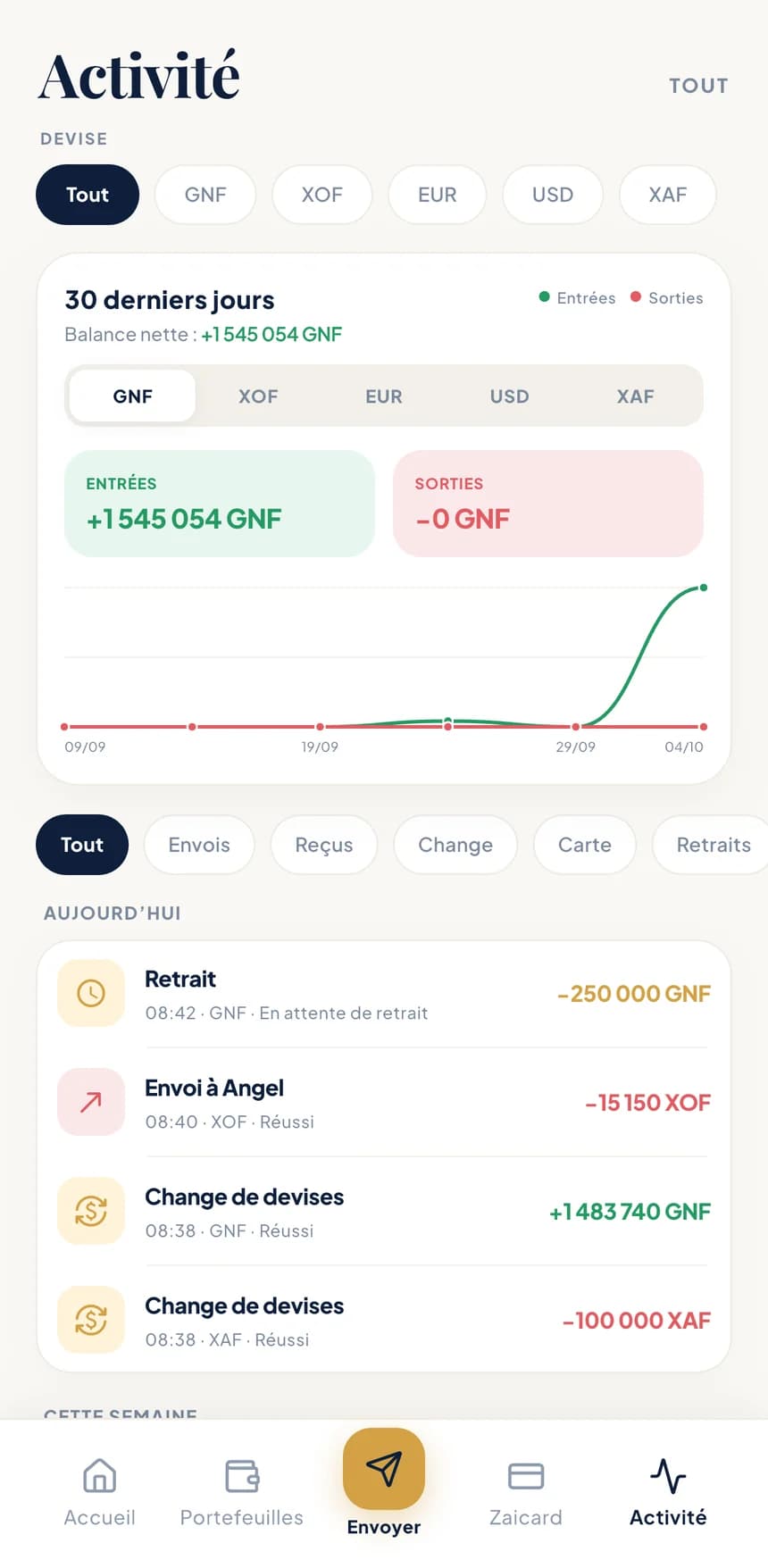
  • “Activity” screen: currency filters, 30-day money in and out chart, list of operations
    1Activity you can filterBy currency and by type: sent, received, exchange, card, withdrawals. A chart shows your money in and out over 30 days.
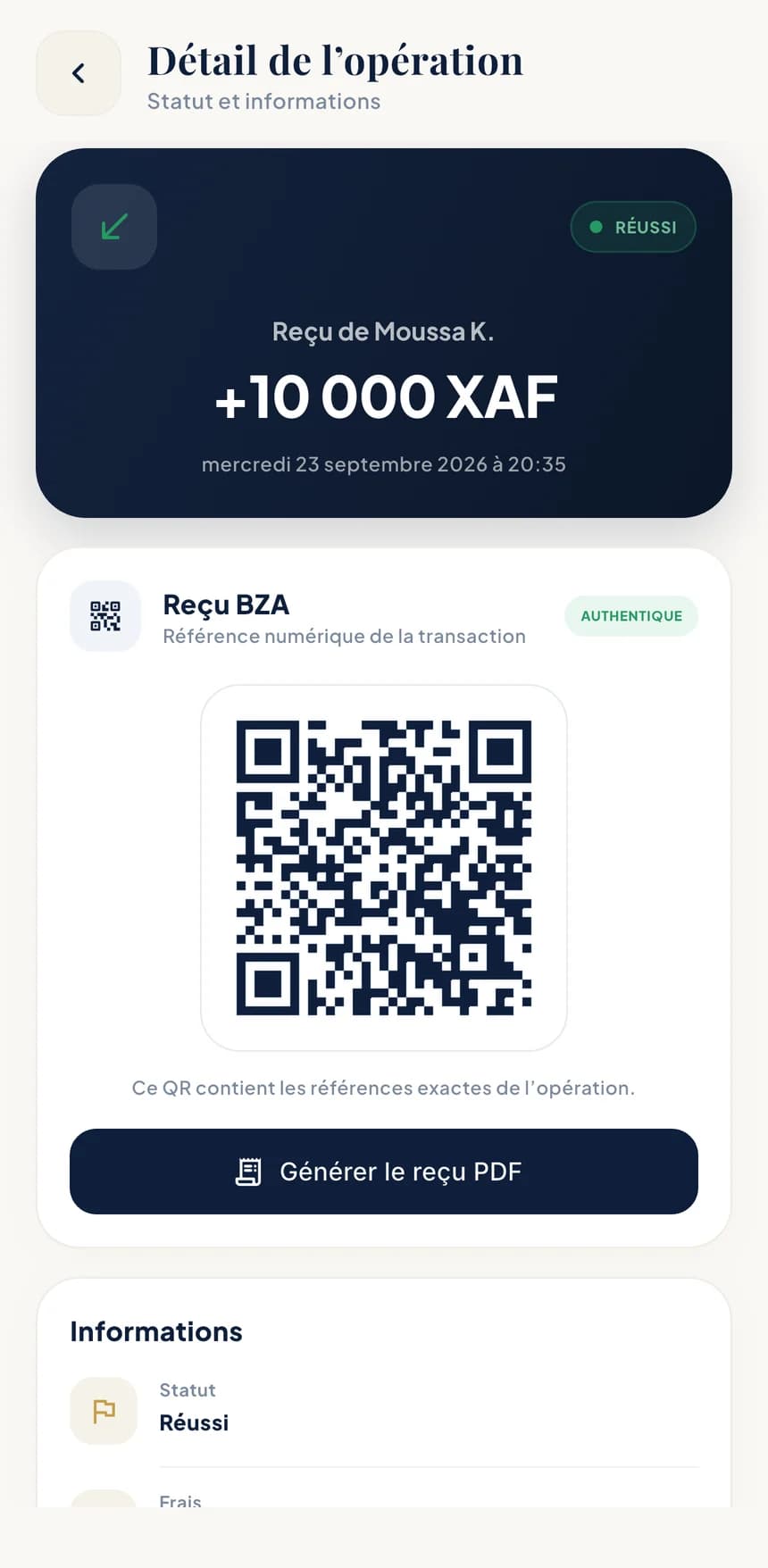
  • “Operation details” screen: 10,000 XAF received, successful status, authentic verification QR code
    2Every operation in detailStatus, fees, date, reference, and a verification QR code confirming the receipt is authentic.
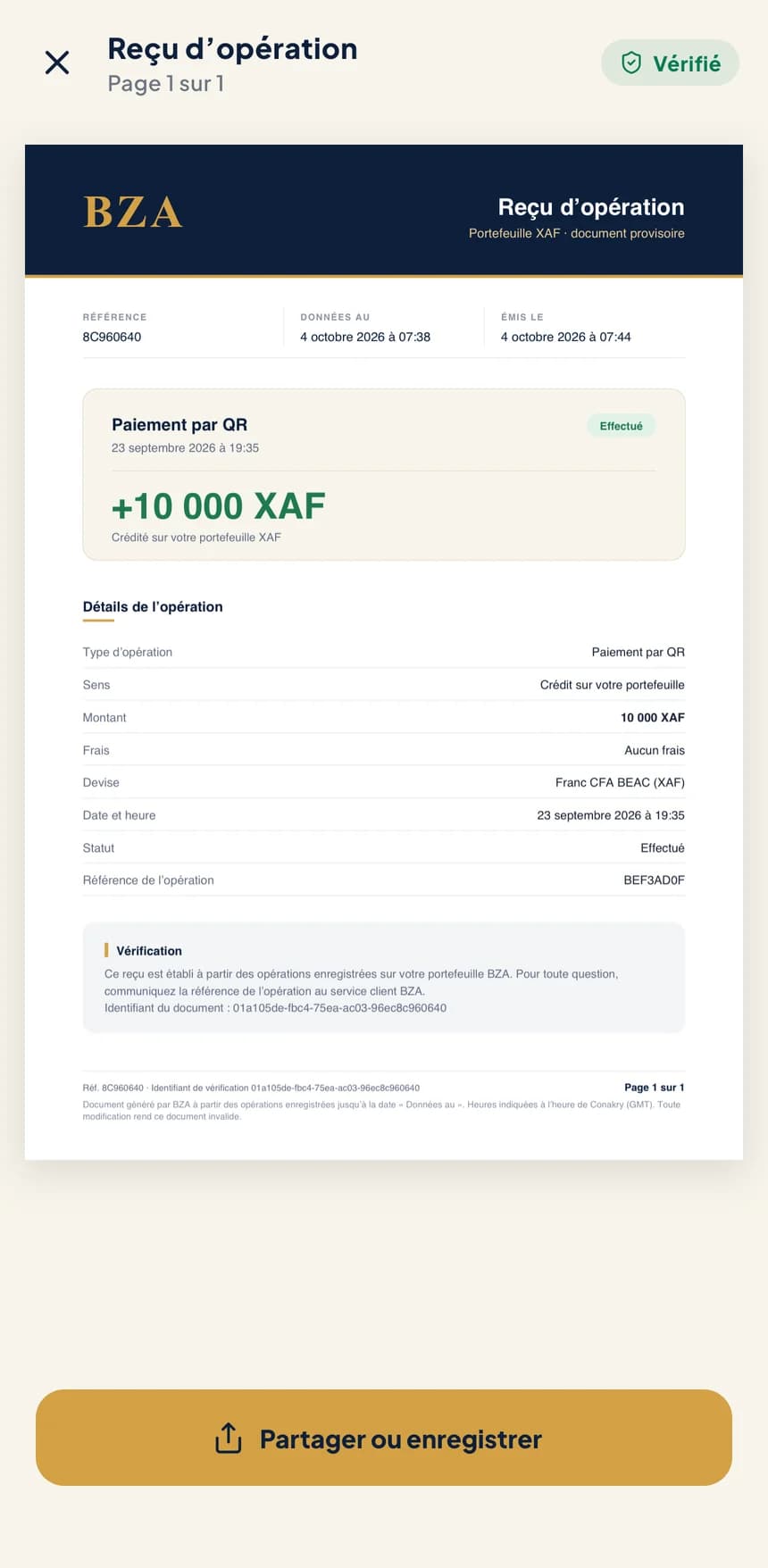
  • BZA operation receipt in PDF, marked verified, ready to share
    3A PDF receiptGenerate the receipt for any operation, then share or save it.

Sample data

Your documents, in PDF
  • Account statements per currency
  • Certificates
  • Operation receipts

Rates and alerts

Keep an eye on the rates.

Reference rates appear right on the home screen. Set a target: BZA lets you know when it's reached.

BZA rates

Reference rates

The main pairs for your currencies, with the time of their last update.

  • EUR / GNF9,910
  • USD / GNF8,833
  • EUR / XOF655.96

Example

Rate alerts

Choose a pair and a target. A notification tells you as soon as the rate gets there.

In your language

BZA speaks your language.

French, English, Spanish or Chinese: the app and the messages BZA sends you follow the language you choose. Light theme, dark theme, or your phone's setting.
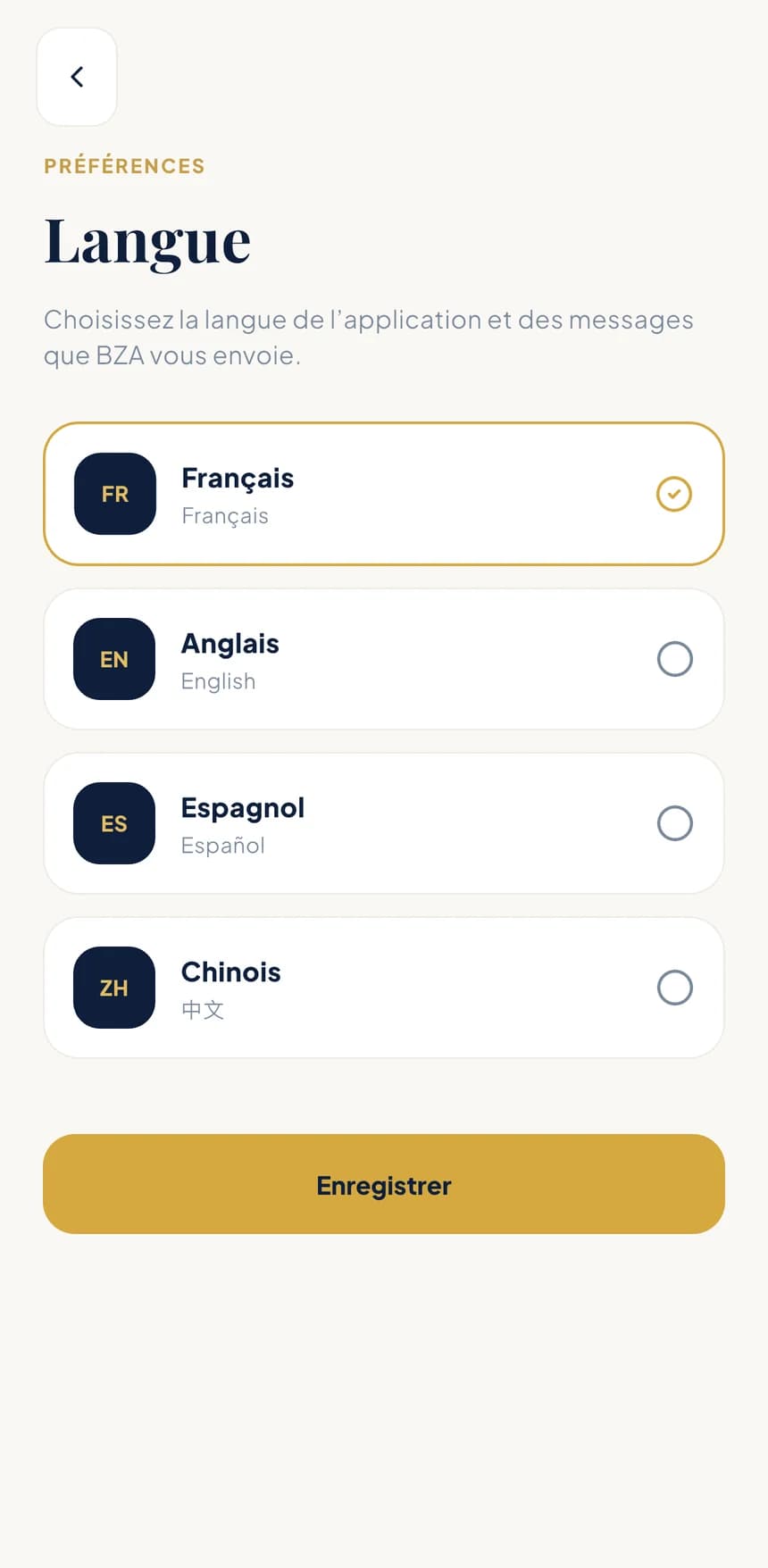
  • frFrançais
  • enEnglish
  • esEspañol
  • zh中文
“Language” screen: French, English, Spanish and Chinese

Coming soon

Your money, wherever you are. Soon in your pocket.

BZA is coming to iPhone and Android. Official download links will be published here as soon as the stores open.
  • Individuals, merchants and businesses
  • French, English, Spanish and Chinese
  • Fees and rates shown before every operation
  • Coming soon onApp Store
  • Coming soon onGoogle Play
BZA app screen