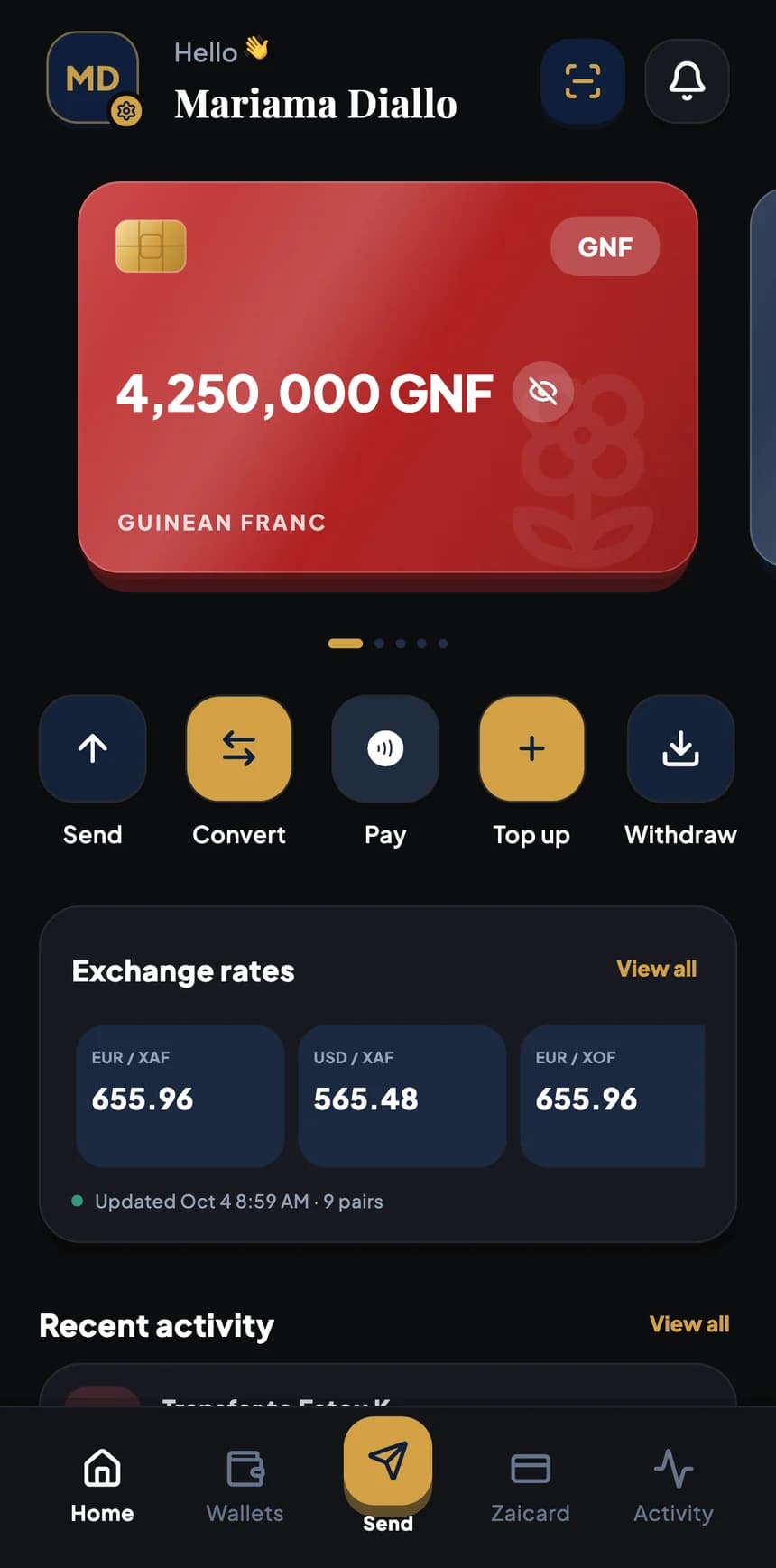
Cash withdrawal
The customer shows you their withdrawal QR code, and you hand over the banknotes.
They prepare the withdrawal in their app: a personal, single-use QR code, with the funds already set aside and a set expiry time.
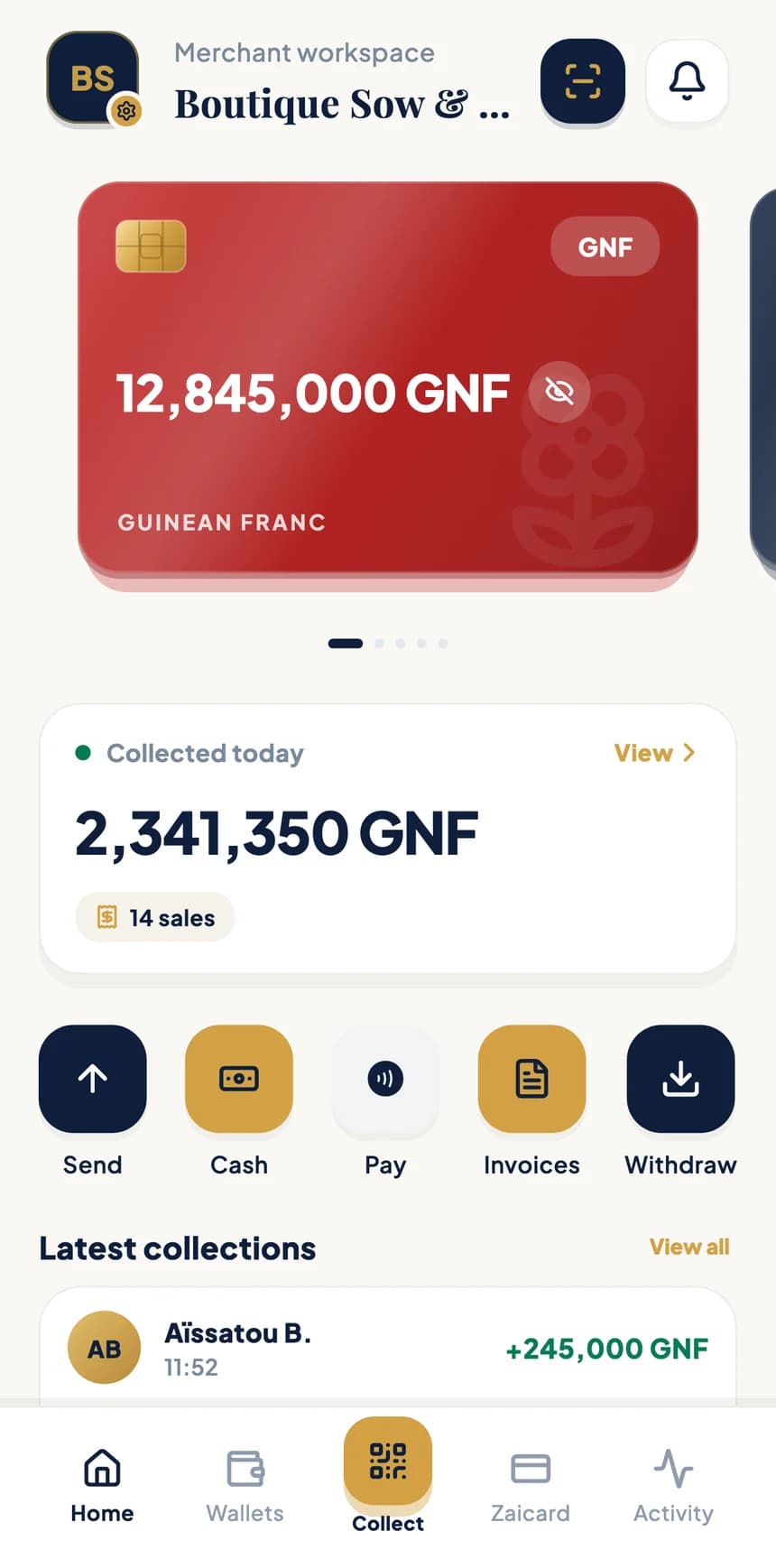
Merchant space
No card terminal: your phone is all you need. Enter the amount, BZA generates the QR code, and your customer scans it and pays from their app.
Accepted currencies
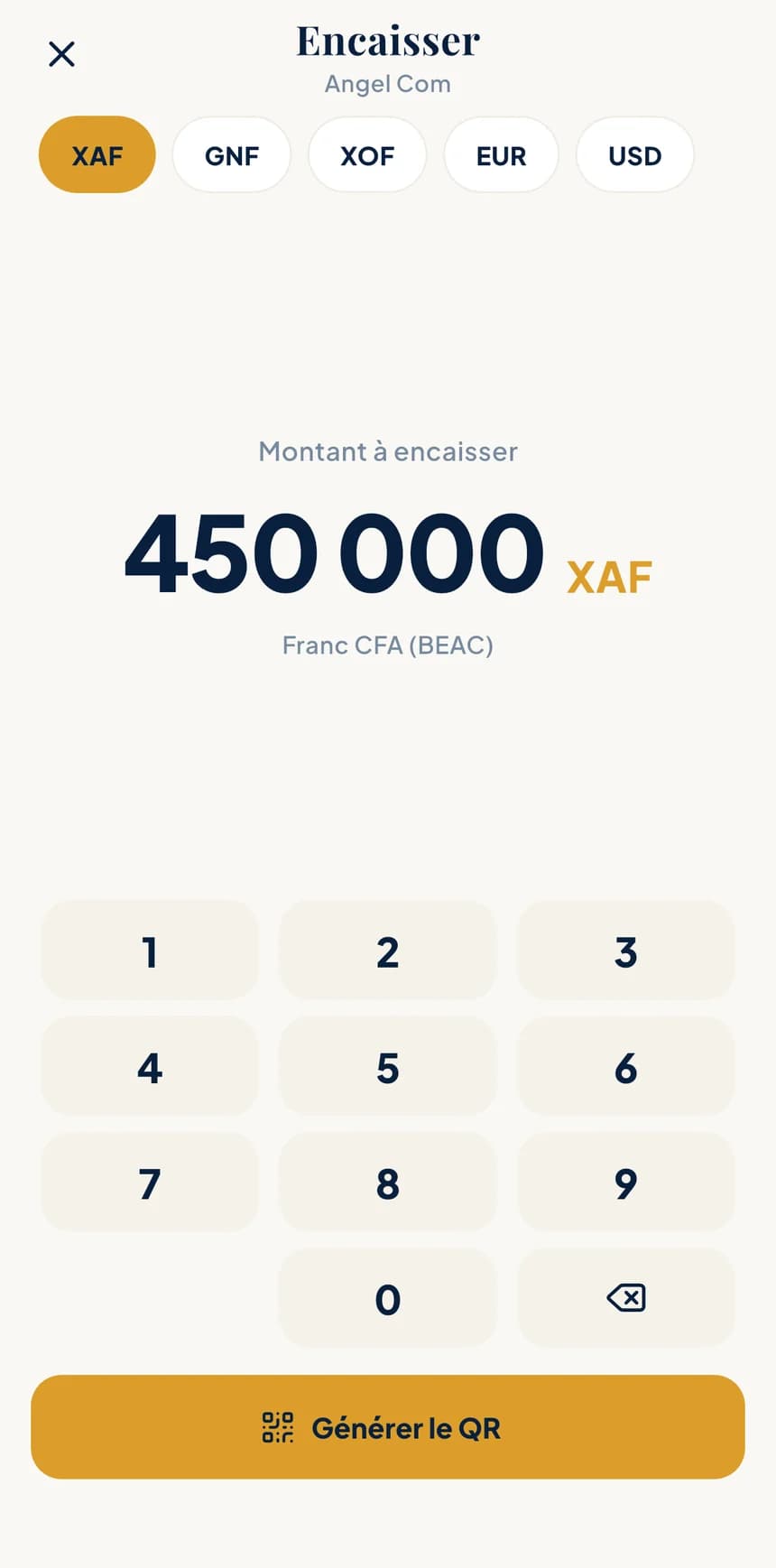
Collect
The Collect button sits at the heart of your merchant space. At the counter, at a market stall or on a delivery, a payment takes just a few taps.
Pick the currency — GNF, EUR, USD, XOF or XAF — and type the amount to collect.
A QR code unique to this payment appears on your screen. Show it to your customer.
They scan the code from their BZA app and confirm. The payment shows up straight away in “Collected today” and in your history.
Animated demo: the merchant enters an amount, generates the QR code, the customer scans it and the payment is added to “Collected today”.
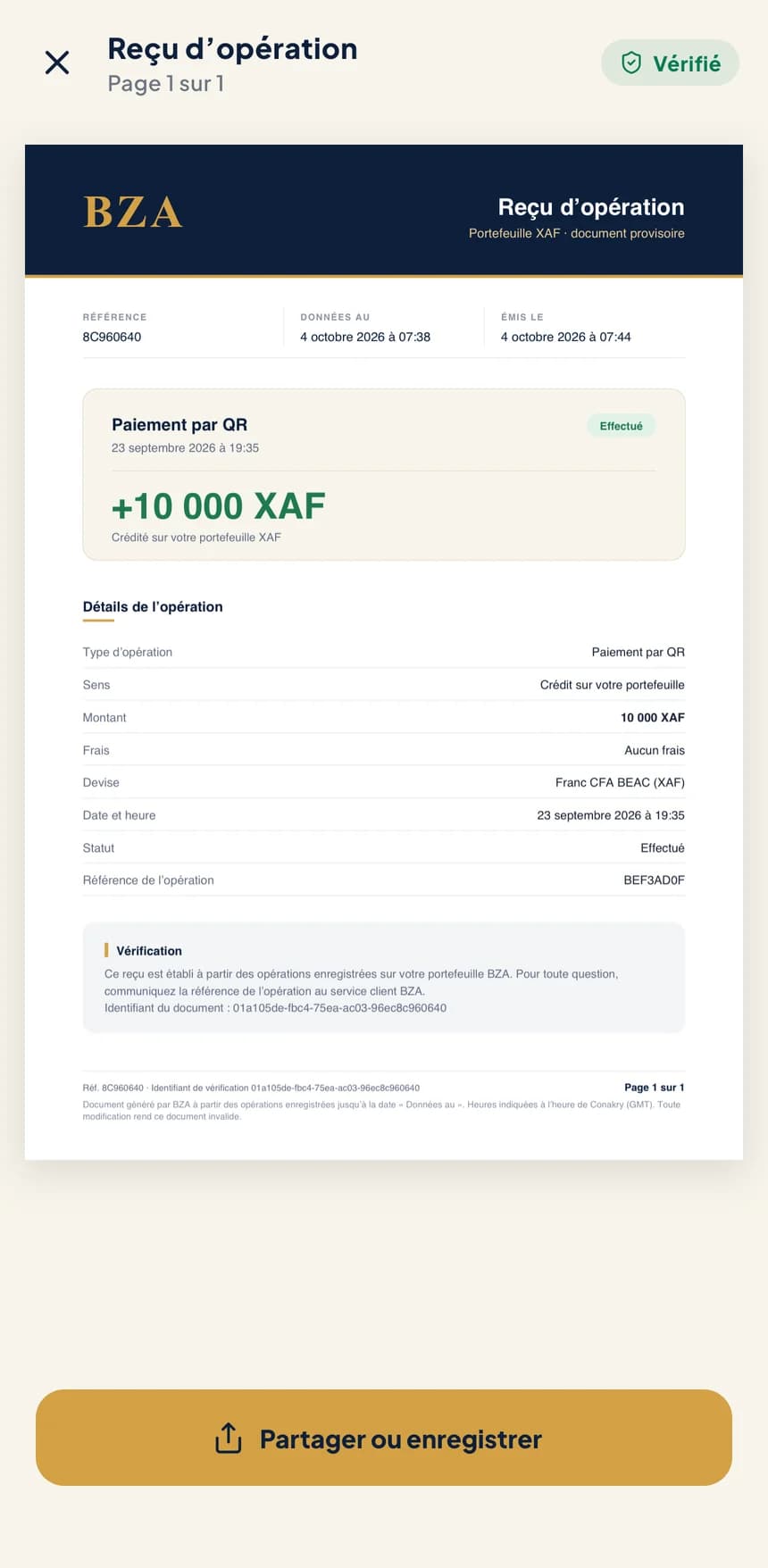
Every payment comes with a PDF receipt carrying a verification QR code.
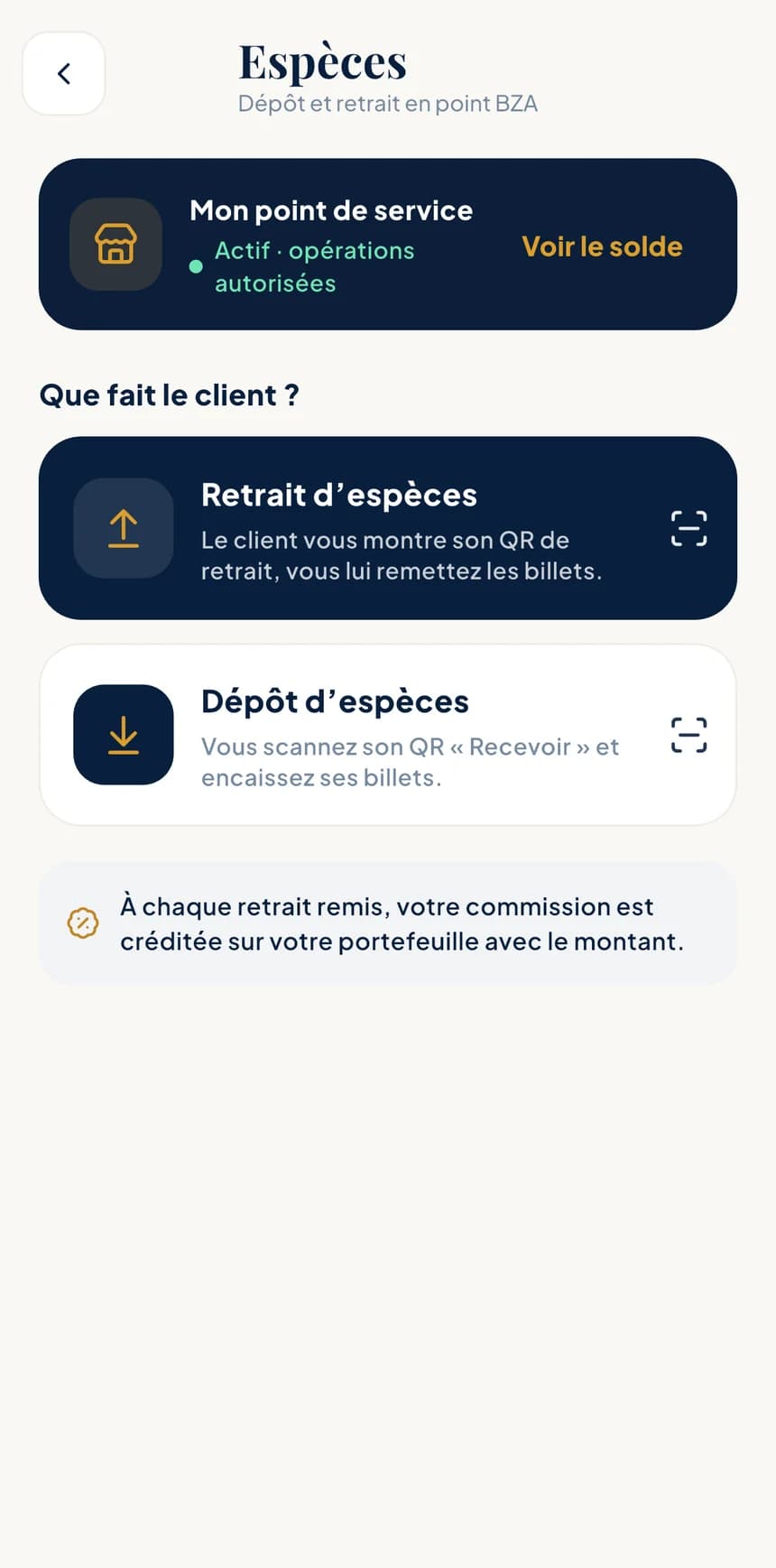
BZA cash point
BZA customers come to you to withdraw or deposit cash. You serve your neighbourhood, and every withdrawal you hand over earns you a commission.
The customer shows you their withdrawal QR code, and you hand over the banknotes.
They prepare the withdrawal in their app: a personal, single-use QR code, with the funds already set aside and a set expiry time.
You scan their “Receive” QR code and take their banknotes.
The amount is credited to your customer's wallet, straight from your service point.
With every withdrawal you hand over, your commission is credited to your wallet along with the amount. You'll find it in your history.
Invoices
Create invoices from your merchant space and follow them until they're paid: you always know what's settled and what's still due.
Money management
Your merchant space includes everything BZA does to manage, move and account for your money.
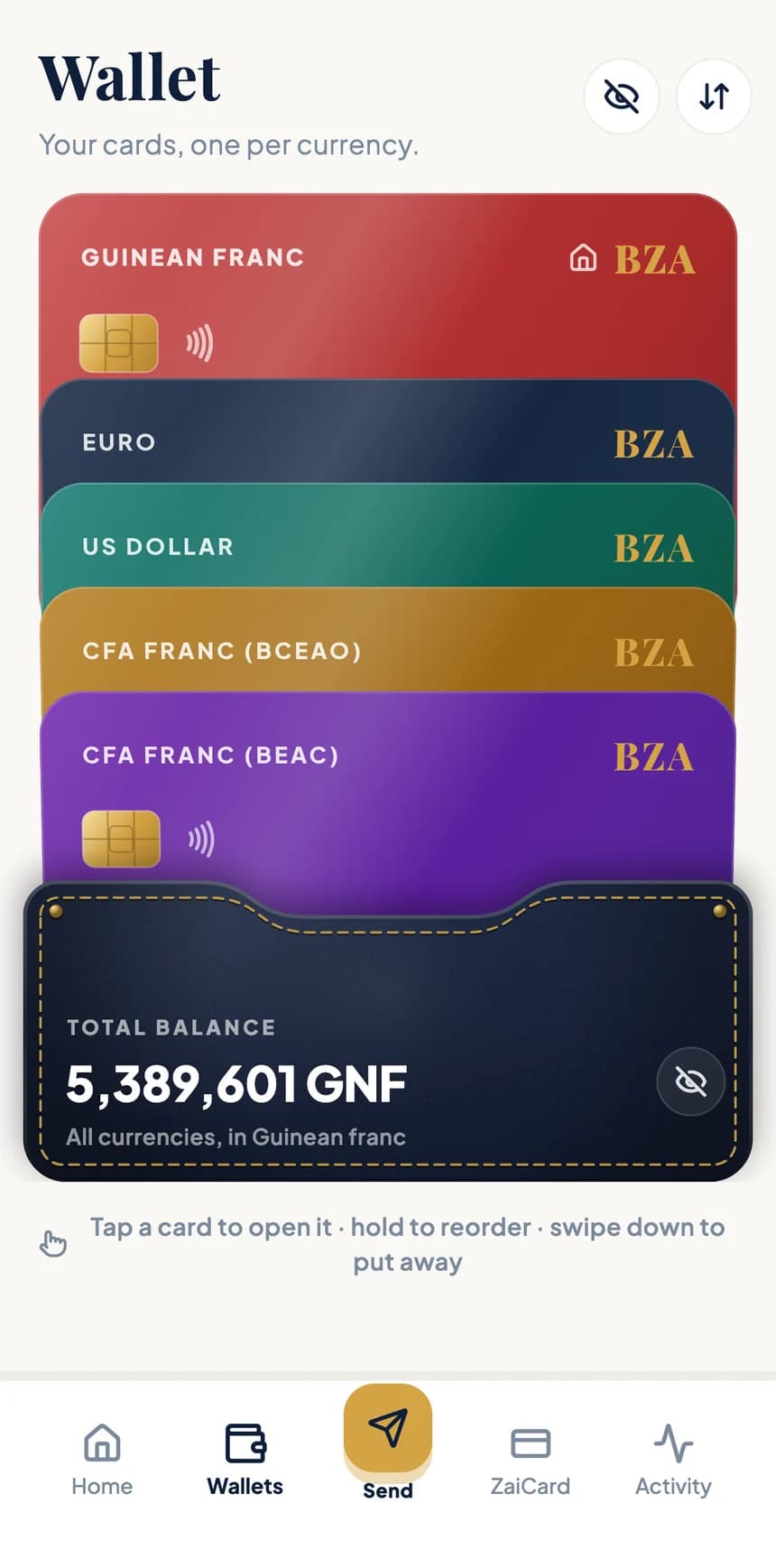
One card per currency — GNF, EUR, USD, XOF, XAF. Each payment lands in the wallet of its currency.
Send to Mobile Money (Orange Money, MTN Mobile Money, Wave…) or by bank transfer. Amount received, fees and total are shown before you confirm.
A guaranteed quote during a countdown, with the rate and commission shown before you approve.
Account statements per currency and verifiable receipts, ready to hand to your accountant.
Open a merchant account
It all starts in the BZA app, with your phone number.
Sign up with your number and confirm it with the code sent by SMS.
Take photos of your ID and your business documents. The list depends on your country and is shown in the app.
Once verified, you can collect payments, issue invoices and enjoy limits suited to your business.
Frequently asked questions
No. Your phone with the BZA app is enough: you enter the amount, the app generates the QR code, and your customer scans it from their BZA app.
Guinean franc (GNF), euro (EUR), US dollar (USD), CFA franc BCEAO (XOF) and CFA franc BEAC (XAF). You choose the currency when you enter the amount.
The Cash service is open to merchants verified and approved by BZA. Request it from Help & support in the app: once your service point is active, the Cash screen lets you handle withdrawals and deposits.
It's credited to your wallet with every withdrawal you hand over, at the same time as the withdrawal amount. You'll find it in your history.
Coming soon
BZA is coming to iPhone and Android. Official download links will be published here as soon as the stores open.